dataProtection_505098897_400.jpg

Whoops! Microsoft Update Has Been Missing This Critical Security Vulnerability
dataProtection_505098897_400.jpg

For the most part, Microsoft takes security as seriously as it should, issuing updates and patches to maintain your Windows and Server operating systems. While you can count on receiving these updates for your supported operating systems, what you might not have known is that Microsoft accidentally overlooked a flaw in its own defenses.

The Flaw is in Vulnerable Drivers

Microsoft has a Windows Update tool that is supposed to detect and add vulnerable software drivers to a blocklist.

Drivers are the bits of software that help your computer interface with various hardware. Without the driver properly installed and updated, the hardware doesn’t behave the way it should. Of course, we’re talking about software here, so drivers can be just as vulnerable to threats as any other software can, and because of their functionality, they have access to systems on your PC that can cause problems.

Well, Microsoft’s Windows Update tool hasn’t been managing the block list, even though Microsoft has insisted on reinforcing it. You may have been receiving updates and patches as needed, but this is one particular piece of security that has not been updated.

This flaw gives threats the ability to push any known vulnerable driver to your PC, then use those vulnerabilities to their advantage. These types of flaws are not new or unheard of; they have been around for at least a decade, and the large increase in threats over the past several years can be attributed to this vulnerability. Attackers like to cast wide nets using easy-to-leverage vulnerabilities, and this one fits the profile just fine.

Microsoft has been working on a fix and says that something will be coming with the next Windows update.

Businesses usually want to prevent their users from installing and configuring new devices on their work PCs, and this is a sound strategy to prevent many threats from striking your business. It’s not a magical cure-all, but it will go a long way.

If you’re ready to protect your network from external threats, know that NuTech Services is ready and able to assist your business with implementing enterprise-grade security solutions. All you have to do to get started is call us today. You can reach us at 810.230.9455.

securityQuestions_504396769_400.jpg

Why Security Questions are Terrible for Security

securityQuestions_504396769_400.jpg

What is your mother’s maiden name? What street did you grow up on? What is your favorite movie?

How about: What good do you really think these questions are going to do to help keep your accounts any more secure?

Seriously, there are a few big problems with the security questions that a lot of businesses, websites, and other accounts rely on. Let’s discuss why these security questions don’t work, and what some alternatives might be.

So, What’s So Bad About These Security Questions?

Let’s walk through an example to illustrate just that!

So, let’s say I was a mean little cybercriminal, and I wanted to help myself to the contents of your bank account. So, I go to your bank’s website, which I confirmed by sending you a phishing message. I also happened to confirm your username (and why I didn’t just take your password along with it, the world may never know) which I can then input into the bank’s website.

Oh darn, I still need that password…or, I can click the handy little Forgot password? link next to the entry field. I’m presented with a few options for your security question, and I have an easy enough way to potentially deduce any of them.

What was your mother’s maiden name? Off to Facebook, for which you either haven’t set your privacy settings or an update reset them without your knowledge. From your profile, I can easily go through and find who your mother is, who just so happens to use her maiden name in her profile so old friends can find her. Security question answered.

What is your favorite book/movie/etc.? Again, Facebook can come in handy here, as it’s somewhat likely you set up your bank account’s web credentials at around the same time as your Facebook. Facebook lists out the books and movies and shows and general interests that people have, and these pages are never as popular as when a Facebook account is first created.

Otherwise, a little bit of perusing through your photos might tip me off, especially if I find countless pictures of you wearing Twilight merch in the early days of you having Facebook, or see lots of John Grisham novels in the background.

What was the name of your first pet? Once more, Facebook is a handy resource. All I’d have to do is search a profile for any mention of a pet and I’ve got a pretty good chance of finding the answer.

Once I’ve completed my bit of Facebook snooping, I can simply give the bank the answers they need for their “security” questions, and I now have total access to your finances.

Keep in mind that Facebook is just one social media platform, too. By posting our entire lives on the platform, we’re putting a lot of trust in their security and in our own capabilities not to overshare or create secure passwords.

It Gets Worse, Too

While it’s getting to be a little old at this point, a study conducted by Google back in 2015 found that many of these security questions have horrifyingly predictable answers.

For instance, the study found that an attacker had a 19.7% chance of correctly answering, “What is your favorite food?” if they only had one guess and knew that the user spoke English. If a user spoke Arabic and the attacker had ten guesses, they had a 24% chance of correctly answering “What was your first teacher’s name?” If the targeted user spoke Korean, ten guesses gave the attacker a 43% chance of answering “What is your favorite food?”

That’s not even mentioning how the cultural differences between the person writing the questions and the person using them to secure their account can pigeonhole the user into selecting a more-easily-guessed answer because these cultural differences make for different experiences. Maiden names aren’t a globally-accepted tradition, after all.

Finally, if the attacker has a bit of technical skill, they can always try a brute-force attack against the recovery question—which, without the complexity requirements that passwords are subject to, is likely to take much less time.

So, If Not Security Questions, What Can We Use to Secure Accounts?

There are a few measures that can be taken to improve security safeguards. For instance, multi-factor authentication and biometrics can make it easier to access your accounts, without making it easier for attackers to do so.

Reach out to us today to learn more about the different authentication and security measures that we can help you implement. Give us a call at 810.230.9455 today!

Oh, and go check that your social media accounts have the right privacy settings.

patch_62255343_400.jpg

Everything You Need to Know About Patch Tuesday

patch_62255343_400.jpg

In the technology news sector, you’ve probably noticed a trend where Patch Tuesday makes headlines at least once a month. This is generally the day when Microsoft issues patches and security updates for its many different technologies, and it’s important for your IT department to know when Patch Tuesday falls each month.

Patch Tuesday Explained

Microsoft is perhaps the most high-profile software developer in the world, and with that kind of reputation comes many different technologies that must be maintained for countless people and organizations all over the world. However, no matter how big a deal Microsoft is, there will always be oversights and mistakes made, especially with complicated technology front and center.

This is why Patch Tuesday exists; it gives Microsoft one day a month dedicated to address performance issues and security risks associated with their products. Every month, the Microsoft Security Response Center issues information and updates using the Common Vulnerabilities and Exposures numbers on their website. These updates typically cover all current Windows operating systems and products which have not yet met their end-of-life or those that are on an extended support contract.

Patch Tuesday is the second Tuesday of each month. Patches and updates are issued at 5:00 p.m. (UTC).

Why Is It Important?

When they are addressed in a routine fashion like this, IT workers for businesses that use Microsoft products can prepare to deploy these patches and updates accordingly. IT workers need to prepare blanket installations to the entire infrastructure, so an official date makes this much easier to pull off.

Hackers also find Patch Tuesday to be helpful, as they can look through Microsoft’s patches and updates for code that might give away hints about other potential vulnerabilities. In other words, they reverse-engineer patches to target individuals who have not yet implemented the patches and updates, thereby punishing them for not understanding the importance of them.

Why Should You Implement Patches and Updates?

Patches and updates are issued so regularly because your business has so much to lose if you don’t implement them. Patches and updates clean up potential security concerns with your software that could give hackers access to your infrastructure, and with how crafty hackers are these days, new vulnerabilities and bugs are found all the time.

Even Patch Tuesday is not an infallible solution, though, as there are often vulnerabilities that can go months or even years without being detected, simply because nobody is actively exploiting them. In cases like this, security researchers happen upon the bug or vulnerability and address it in the next updates. However, if they find one that is being actively exploited, you can safely bet that Microsoft will issue patches or updates more expediently.

Does patching your technology give you some anxiety? NuTech Services can help out with these tasks. To learn more about how we can help keep your technology safe and updated, reach out to us at 810.230.9455.

malware_159695428_400.jpg

These Are the Ways You Get Malware

malware_159695428_400.jpg

Malware has been a problem for people that rely on technology for decades. Like the security that is designed to mitigate the effect of malware, the malware itself has grown in potency and frequency and is a major problem for businesses. Today, we will take a look at a few ways you can get malware. 

Spear Phishing

One of the most common attack vectors for cybercriminals, spear phishing is the act of people disguising themselves as common entities to get their targets to provide their login credentials. These attacks can come in from all different directions: phone calls, email, messaging, social media, and even snail mail. Once a cybercriminal gains access to an account they can infect your network with malware, including ransomware. 

Malvertising

Unfortunately, as the Internet grows, you can get malware on your computer by simply surfing the web. This happens through what is called malvertising. This is when malware is injecting malicious code into advertisements that are used on legitimate websites. Some can simply slow down your computer while some can hijack your browser controls and continuously direct them to pages full of ads. 

Trojan Downloads

Trojans are strains of malware that have been around for decades. Today, users can acquire them through legitimate pieces of ancillary software from the Internet and email. While the initial download is legitimate, over time the software can be exploited to create malware. When a user installs any third-party software, the built-in security protections of the app store are circumvented. 

Infected Documents

Documents such as .txt, .pdf, and others are all over the Internet. That’s why when users download them, they don’t think there is a problem. Unfortunately, it doesn’t take much for one of these documents to contain malicious code and end up infecting your computer and network. Every time developers attempt to fix this issue, hackers find ways around it. 

Imposter Sites

Cybercriminals will now set up sites that look legitimate to get people to interact with them and provide them with the data they need to get access to networks. This happens in multiple ways that are designed to pull the wool over users’ eyes, such as changing a single letter in a URL or simply copying the design of a website but adding malicious links. 

Fraudulent Mobile Apps

With so many people and organizations using smartphones for business purposes, there are apps out there that can turn into malware, much like the ancillary software you find with browsers and websites. Fortunately, the Google Play Store and the Apple App Store both have protections that keep malware from being a problem. Software updates can change apps and create problems for users. 

If you are having trouble with malware, or think you do and are not sure, reach out to the IT professionals at NuTech Services. Our technicians can help you navigate today’s dangerous computing situations and keep malware from being a problem for your business. Give us a call at 810.230.9455 to learn more. 

paymentFraud_263064520_400.jpg

A Few Useful Insights into Online Payment Fraud
paymentFraud_263064520_400.jpg

Financially-focused cyberthreats are no joke, especially considering how digital payments now make up 41.8% of all payments made worldwide. Let’s consider a few statistics that highlight how important it is to ensure that the payment card data your business collects is sufficiently protected.

Digital Payments are Twice as Common as Credit Card Payments

On a global scale, mobile wallets are used at just about double the rate as card payments are today—and while this means that a vast number of people have already embraced the benefits of these modernized payment options, this by no means is to say that it is a flawless system. 

In fact, keeping pace with the adoption of digital payments has been the number of data compromises, with the victim’s full name, Social Security number, and date of birth being the most commonly breached personally identifiable information. Others follow closely behind, like the victim’s current home address, medical history, and driver’s license coming next.

According to the Data, the Usual Cybercrime Suspects are On the Rise

With a few exceptions, most forms of cyberattacks and vulnerabilities have either remained constant or have actually decreased in the past few years, save for the big three cyberattack vectors: phishing, ransomware, and malware. Between 2019 and 2021, all three of these attack vectors saw large upticks in their use.

Again, most (not all, but most) other attack vectors either remained somewhat constant or actually decreased in use during the same period of time, according to the Identity Theft Resource Center.

Meanwhile—and this may be the most concerning statistic for your customers—the most commonly stolen information in 2021 was apparently someone’s full name (in 1,803 breaches and exposures), their full Social Security number (in 1,136), and their date of birth (688). That’s the identity theft trifecta right there—and again, it isn’t as though other forms of PII were that far behind.

Data is a Precious Resource—Let Us Help You Protect It

Your business really does live and die by its data, in all its types and forms. We’re here to help you keep it safe so your operations can continue unhindered by issues of any kind. Give us a call to learn more about our managed services and our security services today at 810.230.9455.

MFA_483702607_400.jpg

Multi-Factor Authentication isn’t Infallible, But It Shouldn’t Be Abandoned
MFA_483702607_400.jpg

We haven’t been shy about pushing for multi-factor authentication, AKA MFA, and there’s a reason for that: if implemented correctly, it can help prevent many cyberthreats. Having said that, cybercriminals have managed to find a way to undermine MFA. Let’s consider how they’ve managed to do this.

First, let’s examine why we’ve trusted MFA up to this point:

What Makes Multi-Factor Authentication as Effective as It Is?

Phishing—or the act of manipulating the user, instead of the computer system, in order to gain access to data—has become a hugely common tactic, mainly because it works. Hackers are also still able to guess weak passwords and gain access. MFA adds an additional layer of security by requiring an additional proof of identity. Without this credential—typically something other than a password that’s harder to replicate—a hacker theoretically can’t get in.

Unfortunately, this is no longer always the case.

Hackers Have Figured Out Ways to Work Around MFA

Microsoft has observed a few recent attacks that demonstrate that hackers can in fact bypass MFA protocols that businesses put in place. The term bypass is important. It isn’t that hackers have cracked MFA, they’ve just figured out how to get around it.

It’s like driving through a city to find that your normal route is under construction, so traffic has slowed to a crawl. Sure, you could simply wait it out and hope to get through in a reasonable amount of time, or you could find another route.

Most hackers use something called an adversary-in-the-middle attack. The hacker sets up a proxy server between their target and the service they want the credentials for. By phishing their target, the hacker is able to steal both their password and the session cookie. This way, the user accesses their account as normal, with no knowledge that it’s been undermined, while the hacker gets what they want.

Hackers Have Used Other Methods, Too

MFA can be worked around in other ways, as well. MFA systems that rely on text messages or emails with single-use codes have little defense against a user being convinced to provide these codes as they are generated. Trojans can be used to spy on users, while other means can take over the devices used to actually authenticate the involved systems. Like many other forms of cybersecurity, it really comes down to how vigilant the user is.

So, How Do You Keep Your Business Systems Secure?

In our humble (expert, but still humble) opinion, the best cybersecurity strategy is one that relies on both the right technical security system and the capabilities of the people using it, working in tandem to better secure the protected assets. This is why we still recommend, even encourage, businesses to implement MFA despite these security hiccups. Our one caveat is that these businesses also need to educate their teams as to their importance.

We can help you do both, implementing enterprise-grade security while also providing comprehensive cybersecurity training and testing to ensure your business is as prepared as possible. Reach out to us today to learn more about how we can assist your business by calling 810.230.9455.

hacker_151190102_400.jpg

Who’s Sitting at the Other Keyboard While You’re Being Attacked?
hacker_151190102_400.jpg

It can be too easy to think about hackers and cybercriminals in an almost abstract way, diminishing them to little more than a faceless entity at a keyboard. Naturally, this is far from the truth. Let’s examine the reality of the cybercrime industry, which actually does as much harm to the perpetrators as it does to the people they scam…if not more.

How is this possible? Well, all one has to do is look at an ad that was up on the White Shark Channel of the Telegram messaging service:

“Selling a Chinese man in Sihanoukville just smuggled from China. 22 years old with an ID card, typing very slow.”

That ad, listing the sale of a human being, offered a price of about $10,000.

Many of the People Actively Operating These Scams Have Been Defrauded and Enslaved

Imagine that you were offered an employment opportunity that had a good enough offer that you agreed to travel to their location, only to be held there against your will and forced to work, under threat of physical beatings, torture, and starvation.

This is the reality for tens of thousands of people from China, Taiwan, Thailand, and Vietnam. Promising employment opportunities, victims are lured in and forced to work defrauding people online, all around the world. These victims are held captive, forced to engage in fraud until their negligible wages allow them to pay the fee to leave.

The thing is, these victims are regularly moved or sold to other organizations, with the price of freedom rising by a few thousand dollars each time.

These people are then forced to engage in “pig butchering” scams, where the scammer metaphorically fattens up their target before going in for the kill. Essentially, the scammer—pretending to form a friendship or even a romantic relationship—draws as much money from their target into an investment platform, but once the target is out of cash, the scammer cuts them off and makes off with the funds. Naturally, this kind of fraud isn’t reported very often, largely because of the shame associated with being bamboozled and betrayed in such a fashion.

These operations have this process down, to the point where documentation is provided to their enslaved workforce. They are encouraged to create social media accounts for their fraudulent personas, with photos available from specialized websites for this specific use. These profiles are then populated with photos and interests that communicate affluence, like those of luxury cars or posts about investing. They are even encouraged in one example of the scammer’s documentation to focus on family values, as this sort of belief helps encourage trust from others.

Once these profiles are created, these trafficking victims are then expected to reach out to their prospective victims. One forced scammer reported working on a team of eight such scammers, organized under a leader, and provided with 10 phones each to use as they reached out to a list of names in an attempt to draw them into these scams. From there, the scammers take note of any promising information that those who respond reveal, to see if there are any “pain points” to take advantage of. This “customer mapping” gives the attackers the opportunity to gauge how promising of a mark an individual may be.

Meanwhile, all of this is done behind bars, with barbed wire fences. Calling the police isn’t really an option for victims, either, as they will be harshly punished for doing so and likely sold to another operation…ultimately increasing the price for their freedom further. In addition, they are also coerced into making statements that absolve the company of any misdeeds.

Is What Forced Scammers Do Bad? Absolutely…But For Many, It Isn’t Their Choice

Don’t get us wrong: we are in no way apologizing for what hackers and scammers do. We just want to point out that, in many cases, the person actually taking advantage of you is just as much a victim as you are (and arguably, more so).

It’s also worth understanding that criminals treat cybersecurity like a business, albeit they are doing a wide range of horrifying and abhorrent things to accomplish their goals, it’s organized and optimized like a business that’s designed to cause harm.

Regardless, it is important that you and your team are able to identify and mitigate as many of any scammers’ attempts as possible. We’re here to help you do that, amongst our other services. Give us a call at 810.230.9455 to find out more about how we can help protect you.

phishing_263452084_400.jpg

Hackers Circumvent Traditional Cybersecurity with Phishing

phishing_263452084_400.jpg

Business owners often get unsolicited emails from individuals who want to sell them goods, services, or products. Depending on the message, they might even come across as a bit suspicious, prompting you to question the authenticity of the email. If you’re not careful, you might accidentally expose your organization by clicking on the wrong link in the wrong email, thus falling victim to the oldest trick in the book: the phishing attack.

The greatest threat from phishing attacks often comes from the fact that you might not expect a particular type of phishing scam. Phishing attacks are growing increasingly more common, and it’s for a very good reason: they work. Cybersecurity professionals have their work cut out for them, as hackers are frequently trying to overcome the latest security measures out there by utilizing a stagnant part of most companies’ security infrastructures: their employees.

Phishing attacks can come in countless different forms, and they all target the human element of your company’s security infrastructure. Whether it’s an unsolicited email, a phone call asking for sensitive information, a physical mailer asking you to pay a fine or fee, or even text messages asking you to click on links to confirm shipping details for an order you can’t recall placing, they all circumvent your most carefully placed security measures by leveraging your employees.

Furthermore, some phishing messages are so convincing and well thought out that spam filters might not even catch them in the process. If a hacker invests time into researching your business—including the recipient of the email—they could be so personalized that they can circumvent the spam filter entirely. These are very real threats to your organization, and if users don’t know what to look for, they could make a mistake that is hard to walk away from unscathed.

At the end of the day, the best way to combat phishing messages is not to implement the best security solutions on the market (although they do go a long way); it’s to train your employees on how to identify and respond to security threats like phishing messages so they don’t fall for social engineering tactics.

We always encourage businesses to use an enterprise-grade spam filter, but we also want them to train their employees to address threats in a way that minimizes risk. These are preventative measures that address issues before they become significant problems or detriments. They aren’t going to solve all of your problems, but they will prevent most of them from evolving into bigger and more dangerous ones. As per usual, your security is only going to be effective if people are aware of your solutions and policies.

While we cannot guarantee that you’ll never encounter a phishing attack again, acknowledging that these issues will appear from time to time can go a long way toward preparing to handle them effectively. NuTech Services can help your business acquire the IT resources and training needed to take the fight to phishing attacks. To learn more, contact us today at 810.230.9455.

secureFileSharing_386993807_400.jpg

Tip of the Week: Making Sure Your File Sharing Remains Secure
secureFileSharing_386993807_400.jpg

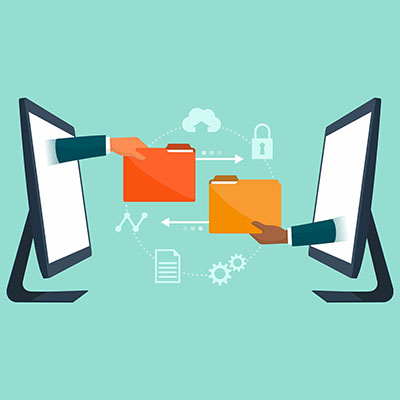
Nowadays, file sharing is so ubiquitous that most people in the office likely take it for granted. However, this is not a luxury that you have, as you need to ensure the file sharing that takes part is sufficiently secure—otherwise, you could find yourself in a tight spot. That’s why we want to devote this week’s tip to a few practical steps to making sure your files get where they’re going safely.

When Remote, Make Use of a VPN

When it comes to securing your data, a virtual private network—or VPN—is an indispensable asset. Public Wi-Fi is questionable at best in terms of security, potentially exposing users to threats and otherwise putting your data at risk. The VPN, however, provides an encrypted portal through which to transmit data to and from the office with minimal risk of it being intercepted on the way.

Prioritize Password Management

We could go on and on about the importance of secure passwords and acceptable password practices…the fact of the matter is that the only way to really be sure that your users are sticking to these policies is to make compliance the easiest option. A password manager is a key tool to doing so, as it securely stores passwords in a protected digital vault (out of a hacker’s reach) for your team’s convenience. Not only does it mean you and your team no longer need to come up with and remember the increasingly complicated passwords needed for security, it can also be used to help entire departments make use of shared accounts and thereby save you money. NuTech Services and our consultants are here to help you make the right choice for you.

Require Multi-Factor Authentication (MFA)

Multi-factor authentication (sometimes called two-factor authentication, or 2FA) is a security step that puts more requirements on the user trying to prove their identity as a part of the login process. Rather than accepting the username-password combination, MFA uses any of three additional methods to verify the user is who they say they are:

  • Authentication through knowledge (Something you know) – This form of authentication requires the user to provide an additional password or PIN, presumably that only the user would know.
  • Authentication through possession (Something you have) – This method of authentication requires the user to have a key of some sort, either as a physical token or as a code sent to a specific mobile device.
  • Authentication through existence (Something you are) – This version of authentication relies on biometric data, often using thumbprint scans or voice recognition to confirm a user’s identity.

Requiring that your team members prove themselves in such a way can greatly enhance your data security, but you also need to be careful not to put too many hurdles in between your users and the work they need to do.

Manage Your File Sharing

Your file sharing is critically important to your collaborative processes, but without the proper security or the ability to integrate with your existing protections, it can quickly become a major liability. Various options are currently available, but you need to ensure that your selection fits into your comprehensive security strategy. Just consider a few features of a standard file sharing program that have heavy security connotations:

  • Emailing encrypted attachments
  • Sharing public or private cloud file links
  • Creating shared and collaborative folders accessible online, or via syncing information between spaces.

Control Access Permissions

This is one of the most effective means of securing your files. After all, if only so many people are able to access certain folders or files (or even file types), that’s a considerably smaller window for mistakes or abuse to take place. By establishing permissions based on department or even custom user groups, you can have much greater control over who can see what.

Staff Training

At the end of the day, it makes no difference how secure you’ve managed to make your file storage and overall business infrastructure if your staff members aren’t aware of how to use your technology in a way that preserves its security. Your staff is almost assuredly going to need some time to get acclimated to today’s hosted platforms, which means it benefits you to provide the training that will expedite this process. The more knowledgeable they are about practical business security, the more secure your files will ultimately be.

We’re no strangers to the needs that Michigan companies have of their IT, and we can help support it so it delivers the security and efficiency their success relies on. To learn more about any of the processes we will assist you with, including file sharing, give us a call at 810.230.9455.

overcomeChallenge_215804358_400.jpg

Prevalent IT Challenges You Need to Consider

overcomeChallenge_215804358_400.jpg

Managing business technology is a challenge that many small businesses have difficulty overcoming, and this is largely in part due to the fact that managing technology is not the focus of these small businesses. The inability to overcome IT challenges can hold businesses back that otherwise would flourish. Let’s discuss some of the biggest issues that companies have for IT and how they could potentially be addressed.

Digital Transformation is Here to Stay

The pandemic forced the hands of businesses all over the world, forcing them to adopt new technology solutions in response to the rapidly changing global situation. There are no signs which indicate that this digital transformation is slowing down, as businesses are more focused than ever on optimizing their processes with what was previously seen as a taboo working environment, i.e. remote technology.

Cybersecurity is More Important Than Ever

You can’t go on the Internet or turn on the news without seeing a new devastating cyberattack against a major business or government entity. A 2022 study from Evanta found that cybersecurity is the number one priority for CIOs, and considering the number of remote and hybrid workers out there, we’re not surprised.

Taking Full Advantage of the Cloud

The cloud is the second largest growing spending category for businesses, at least according to the Evanta study; 54 percent of businesses are investing in cloud solutions. Businesses want the freedom and agility that comes with cloud infrastructure, making it one of the highest priorities and biggest challenges facing organizations today.

Supply Chain Problems Linger

Hardware and other technical components are harder than ever to get, particularly because of disrupted supply chains as a result of the pandemic and conflict between Russia and Ukraine. We like to recommend that businesses plan ahead with their technology acquisition by planning out a hardware refresh cycle and IT roadmap.

Talent Acquisition is Difficult

Paying to hire in-house IT workers can be expensive, especially if you want IT workers who know what they are doing and have the skills required to keep your business technology running. Unfortunately, many small businesses don’t have the resources to pay top dollar for IT talent.

Managed Services Can Solve a Lot of These Issues

The closest thing you can get to a silver bullet for all of your technology problems is to work with a managed service provider like NuTech Services. Our trusted technicians have the know-how to help your organization overcome any technology-related obstacle, from technology acquisition to management to maintenance and beyond. To learn more about what we can do for your business, contact us at 810.230.9455 today.

vacationComputing_343347375_400.jpg

Don’t Let Your Guard Down While You Travel

vacationComputing_343347375_400.jpg

With so many workers constantly connected to screens and other technology, it is a good idea to disconnect every so often by taking a vacation somewhere. However, it’s not always this easy, especially for a business owner who is still minimally connected to the office even while technically on vacation. We’ve got a couple of tips for how you can make the most of your technology while on your vacation without putting your company at risk in the process.

Use Your Mobile Hotspot Over Public Wi-Fi

It is safer to use your smartphone as a mobile hotspot than using public wireless connections, and it is well worth paying a little bit extra. You’re not going anywhere without your phone, so it makes sense that you use your mobile hotspot to connect your laptop, tablet, or other device to it rather than use a potentially unsecured wireless network. As long as you have decent cell service, it’s guaranteed to work, unlike a public Wi-Fi connection.

Connect to Public Wi-Fi Only When Necessary

We think it’s safe enough to pull up directions or to look at your flight itinerary while using public Wi-Fi, but you should be a little more careful with checking your email, logging into your social media, or anything else involving sensitive information. The longer you remain on the network, the longer you are at risk of having your data stolen.

If you have a virtual private network, however, you can use that to create a secure connection for work-related information. Your business should be using one of these anyway, especially in the wake of a pandemic which forced countless employees to work remotely.

Be Careful of What You Share on Social Media

If people know you aren’t home, then who’s to say that they won’t try to break in? The automated outdoor lights are not going to be enough to stop someone who is intent on breaking and entering. It’s better to just not advertise online that your home will be empty for a week. We aren’t saying that you will be robbed while on your vacation, but it’s certainly not out of the realm of possibility.

People could even come up with elaborate schemes to make your life more difficult, too. Imagine some hacker or scammer sees that you are on vacation for a couple of weeks, then uses your identity to get the help of a random Facebook friend with some nonsensical story about how you lost your wallet and need help getting home. When you consider how often accounts are hijacked, it’s not a stretch to think it could happen to you.

Make Sure Your Traveling Accounts are Secured

Traveling often means that you are creating new accounts, whether you are flying on an airline for the first time, using a ride-sharing service, staying at a hotel, or even something as simple as ordering food. Make sure that you aren’t getting too lax with your personal information, and ensure that you are always using complex, secure passwords for your accounts, stored in a password manager rather than your web browser. It can sometimes be easier to plan ahead so you don’t have to worry about it at the moment.

Let Us Take Care of Your Technology

If you are going on vacation, we hope you get as much rest and relaxation out of it as possible. The past couple of years have not been kind, and we could all use a break–especially now. Take some of the worrying out of your vacation by trusting your IT management to NuTech Services. We’ll make sure things run smoothly while you’re gone. To learn more, reach out to us at 810.230.9455.

botnet_191242663_400.jpg

The RSOCKS Botnet Shows the Dangers of Unsecured IoT

botnet_191242663_400.jpg

Botnets are nefarious entities consisting of countless connected devices, all of which have been infected by hackers to perform malicious deeds. One such botnet, a Russian botnet consisting of millions of infected Internet of Things devices, has been dismantled and taken down by the United States Department of Justice and various law enforcement agencies throughout Germany, the United Kingdom, and the Netherlands.

The RSOCKS Botnet

The RSOCKS botnet was responsible for hacking into countless computers and other connected devices all over the globe, according to the Department of Justice. This particular botnet was operating as a proxy service. While it advertised selling legitimate IP addresses through an Internet service provider, or ISP, it was instead offering IP addresses assigned to devices hacked through the botnet. The purpose of this service was for hackers to conceal their IP addresses from law enforcement while they launched attacks against authentication portals.

In other words, hackers were using these hacked IP addresses to conceal their activity while they launched attack after attack against authentication platforms. The Department of Justice reports: “It is believed that the users of this type of proxy service were conducting large-scale attacks against authentication services, also known as credential stuffing, and anonymizing themselves when accessing compromised social media accounts, or sending malicious email, such as phishing messages.”

What Happened to RSOCKS?

The FBI has since seized control over RSOCKS’ website, where users could purchase IP addresses. The price points for these services ranged from $30 per day for 2,000 proxies to $200 per day for 9,000 proxies. If a user committed to making the purchase, they could download their list of IP addresses and ports, which they could then use to route traffic through the cracked devices to obscure their true identity. The botnet was first built using infected IoT devices, but it later took advantage of Android and other types of computers, too.

When services like this are so affordable, even to the layman hacker, you cannot afford to not take them seriously.

What Can Be Done?

This type of threat shows the security shortcomings of Internet of Things devices, something which your business needs to be well aware of if it is to successfully protect itself from threats such as this. The reason behind why Internet of Things devices were chosen as outlets for these attacks is that many are distributed with their default passwords, easily allowing hackers to bypass their security features and take advantage of them. If you do utilize IoT devices, you should use the same security standards that you would use for other, more advanced devices, like more strict password policies or dedicated networks specifically partitioned off for IoT devices.

NuTech Services can help you take all the appropriate measures needed to secure your business. To learn more about what we can do for your organization, reach out to us at 810.230.9455.

restrictedAcess_451965388_400.jpg

Zero-Trust Policies Can Keep Your Business Secure
restrictedAcess_451965388_400.jpg

The modern cyberthreat landscape is nothing to be trifled with, so it makes sense that as threats grow more powerful, so too do the solutions used to address them. Nowadays, there is a practice that is designed to address just how serious the threat of cybersecurity is: zero-trust IT. Let’s discuss these policies and how you might put them in place.

What is Zero-Trust?

Zero-trust is when the default action of an organization or business is to scrutinize every little detail about an individual’s access to its IT infrastructure, from hardware to software to the network connection. In order to gain access, users must authenticate themselves in a trustworthy and secure manner.

This might seem like a lot of work, and that’s because it is. A zero-trust policy is something that may take some time to implement, but it’s proven to decrease the number of security risks a company experiences over time. All aspects of access must be considered for zero-trust to remain effective.

Zero Trust is Surprisingly Simple to Deploy

When adopting zero-trust, you need to take the following steps:

Determine Your Goals for Your Zero-Trust Processes

The NIST, or National Institute of Standards and Technology, has determined that there are two goals behind zero-trust: prevent unauthorized access to a business’ data and resources, and control access so that it is as granular as possible. In other words, prevent unauthorized access and make access as transparent and stringent as possible.

Determine Your Most Important Data

To best protect your business, consider the data that’s most important for your operations and how you want to control access. This will be critical for ensuring your zero-trust strategy can be pulled off.

Determine How Prepared You are for Zero-Trust

Similarly, you will want to ensure that your network is prepared to handle the authentication required of zero-trust policies. Does it have the safeguards needed to ensure it remains secure? What about your endpoints, or the employees accessing them? Are their accounts secured, and are they following best practices? Consider all of these to make sure your policies are implemented correctly.

Determine What You Need to Do to Improve

If you know what you need to improve, there is a greater chance that you will use that knowledge to act. A general rule to follow for zero-trust IT policies is that nothing and no one should be trusted without first being authenticated, coupled with real-time monitoring.

Determine Monitoring Practices

Your real-time monitoring practices should continue even after initial implementation and well into the future so that you can always catch and mitigate potential threats.

Ultimately, a zero-trust policy is one of the best ways to approach network security for your business and its resources. To learn more about how we can help to facilitate the implementation of this type of policy, be sure to contact us at 810.230.9455.

securityBudget_68931005_400.jpg

Are You Budgeting Enough for Security?

securityBudget_68931005_400.jpg

Cyberattacks have caused many millions of dollars worth of damage to businesses over the past several years, so it makes sense that your business should invest in its cybersecurity to mitigate these damages. That said, there is only so much you can invest into your cybersecurity budget, as you have to factor in other parts of your business, too. Today, we want to share with you three ways you can invest in cybersecurity initiatives that won’t completely break your bank.

Many organizations hire a CISO, or Chief Information Security Officer, to handle the management of their cybersecurity budget and the general security management for IT resources. This individual might operate under the CIO, but they have the chief responsibility to ensure that the cybersecurity budget is allocated as the business sees fit. Here are four tips you should keep in mind when finding your CISO.

Identifying Your Organization’s Digital Strengths and Weaknesses

Most IT implementations are rooted in an understanding of your infrastructure’s strengths and weaknesses. In order to get the most out of your IT capital, it helps to know just what needs to be addressed and where you can benefit the most. You might be shocked by how much an audit can help with this process. Some of the common issues suffered by small businesses include:

  • Business continuity plans: Businesses don’t always have contingency plans in place for the worst-case scenarios, especially for their IT systems. If they’re not careful, downtime could become a serious problem in the event of a disaster.
  • Phishing and cybersecurity training: With the threat landscape constantly changing, you’ll want to make training your staff a priority. Phishing attacks are the top way malware spreads across systems.
  • Cybersecurity insurance: Cybersecurity insurance does exist, and it can help to protect against data loss and cyberattacks.

A comprehensive security audit can help your business address the many challenges it might face moving forward.

Aligning Your Security to Support Your Business

Certain investments might be practical, but they also need to suit your business’ specific needs. Security spending is something that can be justified as long as risks can be managed appropriately. To this end, you should invest in solutions that provide a return on your investment over the long term such as risk mitigation, regulatory compliance, and solutions that also boost productivity and efficiency, such as automation. This can justify the expenses associated with automated security processes.

Onboard Solid Contributors

The final piece of the puzzle involves building a strategy that requires investments be made in your IT infrastructure. Whether you are trying to hire new employees or bring in professionals to help train your existing workforce, investing in the people power of your business will always be fruitful. The more your employees understand about the role they play in securing your business, the easier it will be to keep your organization safe.

Network security doesn’t have to be challenging. If you make informed decisions about your security investments, you can remain confident that your organization will be making the right decisions moving forward. To learn more about how NuTech Services can fit into your IT decision-making process, reach out to our professional technicians and consultants at 810.230.9455.

globalSecurity_158427126_400.jpg

When Working Remotely, Cybersecurity Has to Be a Priority
globalSecurity_158427126_400.jpg

Cybersecurity is something that must be reinforced both in the office and out of the office for your remote employees, and it’s unfortunately quite difficult to maintain. Let’s take a look at the unique circumstances surrounding the remote worker and how you should reinforce security best practices for them, even if they are not physically present in the workplace.

Best Practice: Provide Them with the Tools to Stay Secure

It’s important that you give your employees the tools they need to stay secure while outside the protection of your in-house network. We recommend that all remote workers utilize a fully up-to-date antivirus software at all times, as well as a virtual private network (VPN) connection. A VPN in particular is an excellent tool for just about any business, as it can keep onlookers from snooping through the traffic moving to and from your employees’ devices. 

Best Practice: Emphasize Password Security Even More

There are several password best practices that should be followed, including a couple that we keep near and dear to our hearts at all times: never write down your password, always use a different password for a new account, create a passphrase that is difficult to crack, and so on. Remote employees should be held to the same standards as your in-house workers, and perhaps they should practice even more stringent guidelines. You want to craft a culture of cybersecurity that reinforces appropriate password best practices so that these standards stay at the top of your priority list at all times.

Best Practice: Reinforce Physical Protections

There is more to cybersecurity than just the digital component of it; you must also consider the physical security side. Be sure to keep unexamined peripheral devices away from your work hardware, and be sure that any and all hardware used for work is kept secure at all times. We recommend that you reserve it for work exclusively rather than using it for your personal use, too. Doing so helps to keep it secure, and it helps to keep you sane, too.

These tips are only the beginning of an appropriate remote cybersecurity policy. We recommend that you contact NuTech Services for even more great tips and tricks on cybersecurity. To learn more, give us a call at 810.230.9455.

network_secure_439983242_400.jpg

4 Surprising Statistics about Network Security
network_secure_439983242_400.jpg

If you aren’t making cybersecurity a priority for your business, then we urge you to review the following statistics to ensure that you understand the gravity of the consequences. Let’s take a look at some of the ways scammers and hackers are making their way around the carefully-laid defenses placed by businesses and how you can protect your own organization.

First, a quick look at the statistics is in order:

  • The global cost of cybercrime is a staggering $6 trillion.
  • On average, it takes over half a year to detect a data breach.
  • 91 percent of attacks start with a phishing email.
  • Businesses faced an average of 22 security breaches in 2020.

$6 trillion makes cybercrime the world’s third-largest economy, which is a little jarring to say the least. Evidence suggests that four percent of the U.S. GDP is swiped by those involved in cybercrime. This is a total of billions of dollars, all stolen by hackers and scammers every year. These numbers are for the United States alone; imagine what is being done on a global scale.

As far as the news is concerned, you would think that data breaches are so high-profile that they are identified easily, but this is simply not the case. The average time to detection, according to IBM, is around 287 days. In data-intensive industries like healthcare and financial services, this number is even larger. IBM provides a timeline for containment as well, a number that sits at around 80 days.

Social engineering attacks were far from the norm in computer-based attacks, but hackers have continued to utilize these attacks to best even the smartest of network security professionals and solutions. Phishing attacks are the primary example of this; it might not be easy to crack a password, but it might be easier to do so if the user whose password you’re trying to steal willingly gives it away because they don’t know any better. This is why phishing has become front-and-center in the cybercrime field.

No business is too small to become the target of a cyberattack, and you should always be prepared to deal with the worst-case scenario, no matter how unlikely it might be. The average business deals with 22 security breaches each year, and you can rest assured that if you fail to protect your business, it will suffer as a result.

Network security can be daunting, but it doesn’t have to be. We aim to make understanding its intricacies easier and to take the burden off of small businesses. To learn more about what we can do for your business, reach out to us at 810.230.9455.

phishing_attack_103897430_400.jpg

How to Know You’re Being Targeted by a Phishing Attack
phishing_attack_103897430_400.jpg

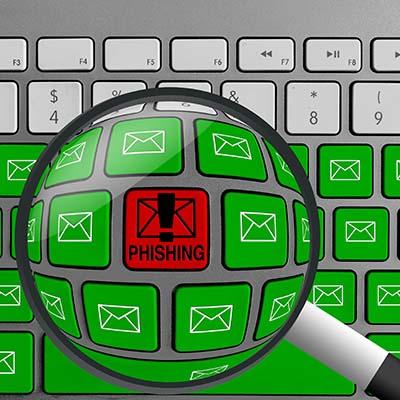
Phishing attacks are serious business, so it is important that your team members know what they are, for one, and know how to spot them. To facilitate this, let’s review the signs of a phishing attack—or ideally, a phishing attempt (because by spotting it, you’re more able to stop it).

First, let’s quickly touch on what constitutes a phishing attack.

What is Phishing?

Phishing is a horribly common form of cyberattack that is used by cybercriminals to accomplish a variety of goals, whether it’s gaining access to a system or stealing data from your team members. Basically, by posing as a trusted party and communicating with your team members, the responsible cybercriminal leverages the imperfect human element to sidestep your cybersecurity.

Phishing, while perhaps most well-known as an email-centric threat, can take place in many forms and formats. In addition to phishing emails—which themselves come in numerous forms—phishing attacks can also come in the form of SMS messages, phone calls, and effectively any other means of communication.

This makes it crucial that your team is prepared to deal with these attempts—capable of spotting them and properly reacting by reporting their suspicions to your IT resource.

To this end, let’s go over a few ways that your team members can potentially catch a phishing attack before they fall for it.

Signs That a Phishing Attack is Targeting You

There are numerous signs that a message could potentially be a disguised phishing attack. Here’s a basic list, but you can always reach out to us at 810.230.9455 to learn more about any or all of these warning signs::

  • A tone that doesn’t match the supposed sender
  • Misspellings and other discrepancies in key details, like email addresses, domain names, and links
  • Out-of-the-blue messages
  • Egregious spelling and grammar errors
  • Unexpected or out-of-context attachments
  • Excessive urgency behind, or open threats as a consequence of, not complying with the message
  • Ambiguous messages that motivate the recipient to investigate
  • Unusual requests, or requests for explicitly sensitive information

It’s important that your team is aware of these warning signs and actively keeps them in mind when dealing with any business communications.

We’re Here to Help Keep Your Team Safe!

Reach out to us to find out how we can assist you in maintaining your business’ security against threats of various kinds, including phishing attempts. Give us a call at 810.230.9455 today.

safe_router_424236593_400.jpg

Boosting Your Router’s Security in 3 Ways
safe_router_424236593_400.jpg

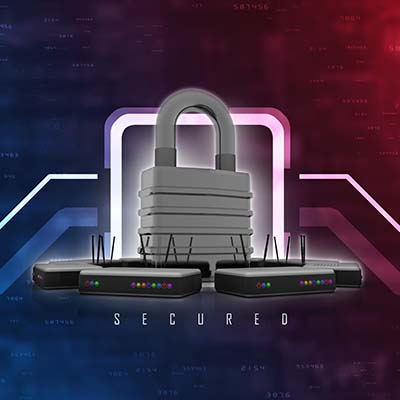
Your wireless router handles a lot of the tough work for your business, and as such, it’s important that it’s protected and secured as best as can be. If you want to secure your router, we recommend that you use the following best practices to make it happen.

First, let’s talk about the router. The router is basically a modern computer in its own right. They have their own operating systems and software, and as such, they can be susceptible to vulnerabilities. If you aren’t keeping in mind basic data security practices, then you are already behind the security curve.

Update Your Router’s Software and Check Settings

Your router runs on software that needs to be updated periodically. As your router ages, so too does your network security. When you update your router, you are updating the firmware and other software used to route the wireless signals. Here are some other settings you should consider changing:

  • Change network name or SSID – Make sure it is something that is unique but doesn’t necessarily identify you or your organization.
  • Turn on automatic firmware updates – As we described already, getting firmware updates is essential to maintain security for your router. 
  • Enable WPA2 wireless encryption (or WPA3, if your router supports it) – This ensures that only authorized users can access your wireless network. 

Disable Dangerous Accessibility Options

Most users utilize the Universal Plug and Play feature and keep their routers on the default settings, something which puts these wireless connections at greater risk of compromise. Another way that hackers will attempt to undermine the security of your router is by using the Wi-Fi Protected Setup feature on your router. It is an easy-to-use feature that helps you connect devices using a static eight-digit pin, even if the username and password have been changed. The PIN is printed right on the router, and if it’s on your router, then that makes it easier to get into. It’s far from the ideal scenario.

Set Up a Guest Wi-Fi Network

A great way to keep your wireless network secure is by limiting who has access to it. So, for example, let’s say you have guests come to the office, and you don’t want to give them access to your employees’ wireless network. You can instead have them connect to a guest wireless network specifically for them. Most commercial-grade routers and many personal routers provide this level of functionality. You can even set the network to turn off after a certain amount of time. 

This also helps if your organization operates with a lot of Internet of Things devices. The guest wireless network can keep them from creating security troubles. All you have to do is connect some of your IoT devices to the network so that they don’t accidentally leave anything exposed on your main network.

To learn more about how you can keep your wireless network secure, reach out to us at 810.230.9455.

dataTransfer_437810489_400.jpg

Data Scraping Explained

dataTransfer_437810489_400.jpg

There are times when you, as a business owner, might receive unsolicited emails from organizations asking you to try a product or asking for your input on something. More likely than not, the one responsible used data scraping to get your contact information. If it’s used appropriately, data scraping can be an effective marketing tool, but it can also be utilized by scammers to make your life miserable.

What is Data Scraping?

Data, or web scraping, is when you export data from a web page to a spreadsheet or local file. Chances are that this is the method you’ve used when taking data off the Internet or a web page. Basically, it’s as simple as data transfer, taking it and moving it to a different location in the form of a file on your computer. This file can be manipulated and adjusted as needed. It’s not the best method of transferring data, but it’s useful for certain situations.

How Can It Be Used?

Here are some of the ways an average business might use data scraping:

  • Comparing the costs of various goods, products, or services in one single document.
  • Conducting market research to generate new leads; this is primarily for public data sources, as depending on the location, data scraping of directories, websites, or social media can be illegal.
  • Researching web content for the purposes of building up your business.
  • Gathering data for easy analysis and providing it with structure

There are other uses for data scraping, but this should give you a broad general understanding of how it might be used by businesses. It can help you find the best deal on a product, research your competitors, compile data from a web source, and so on. There are plenty of tools out there that can make the process easy and efficient—just get in touch with us and we can point you in the right direction.

What About Hackers?

Data scraping can be used by people for email harvesting, particularly when it comes to scammers and hackers. Many organizations house employee contact information in a publicly available directory on their websites. If someone can scrape this information, they can sell it to spammers and hackers, and you don’t need us to tell you that this information being used in spam and phishing campaigns is bad news. Plus, depending on the location, using this information for commercial purposes is illegal, and it leaves a bad taste in peoples’ mouths. This doesn’t stop scammers and spammers, though, so you’d best be on your guard.

We want to make sure that you stay apprised of the latest practices in business technology, so be sure to follow our blog! We cover interesting topics such as this, as well as other topics related to IT, cybersecurity, and technology best practices.

ITsecure_233634561_400.jpg

Tip of the Week: 3 Ways to Improve Your Business Technology’s Security

ITsecure_233634561_400.jpg

Businesses largely rely on their information systems and other technology tools, so you need to make sure they stay secure and far from the many threats out there. To this end, we recommend that you implement security systems that prioritize business continuity and data security. Let’s examine three ways you can keep your business’ IT safe and secure.

Promote Strong Password Practices

Many users still practice the use of poor passwords, and unless you are deliberate in making them strong, chances are your passwords are not strong enough. Here are some tips to help you choose better, stronger, and more reliable passwords:

Password Length

Longer passwords are harder to guess simply because the greater number of characters makes for more possibilities. Passwords should be at least 12 characters long, but when they are this long, they can easily be forgotten. You can create easy-to-remember passphrases that use a combination of upper and lower-case letters, numbers, and symbols. For example a password of “elephantredfootball” will usually be secure, but one that is written: “3l3ph@ntr3df00tb@ll” is even more secure. 

Unique Passwords

Some people use the same password for every one of their accounts, but this is dangerous. Remember that if one password is hacked or stolen, it can be used on all of your other accounts, too. It’s best to use unique passwords for each of your accounts.

Use Software Tools 

Password managers and multi-factor authentication tools are great software tools you can utilize to both augment password security and reduce the downtime associated with forgotten passwords. Depending on the tool, it might even allow you to randomly generate a secure password, and with multi-factor authentication, you dramatically increase the security of your accounts by increasing the number of layers of defense your systems are protected by.

Train Your Staff

One of the greatest challenges for any organization’s IT security is the internal threat that certain employees can pose when it comes to a negligence or misunderstanding of security practices. Remember that all it takes is a phishing attack to make it through once to create problems for your business, and if an employee doesn’t know any better, they might be the weak link a hacker is looking for. There are over three billion phishing emails sent every day, so you need to be intentional with protecting your organization from them. This is why it’s so important to train your staff to identify them.

A phishing attack will look like a person or organization with whom the company has dealings with, usually someone who demands a certain amount of authority. Scammers will routinely use these tricks to make their way into your organization’s network, and they may impersonate insurance companies, software providers, financial institutions, and even executives within the company. These messages might ask users to click on links or download attachments. Here are some of the variables you might ask your employees to look for in a phishing message:

Demands for Immediate Action

Phishing attacks are largely successful because they instill a sensation of fear, anxiety, or excitement in the recipient that causes them to make questionable choices. The best course of action is not to instinctively respond but to verify and scrutinize potential messages.

Inclusion of Unprofessional Spelling Errors and Grammatical Faux Pas

Phishing messages are often from people in countries whose first language is not necessarily that of the recipient. They may include demands, spelling errors, and grammatical errors that no professional would ever consider acceptable.

They Come From Unrecognizable Accounts 

Phishing emails might look legitimate, but it’s only on the surface level. Look at the email account it originated from and you’ll see that they come from suspicious destinations. Think twice before clicking on links or downloading attachments from unrecognizable accounts.

Keep Your Software Updated

While phishing might be one of the most common threats out there, there are plenty of others that steal the spotlight from time to time. Many hackers choose to exploit vulnerabilities in software, and even though companies try their best to keep up with patches and updates, there are always going to be those that don’t get patched on the user end. If your business doesn’t take steps to implement patches as soon as possible after their release, you’re putting yourself at risk of hacking attacks.

Businesses that use a lot of applications might see patch management as a full-time job, but there are automated solutions out there that can handle this burden for you. You will also want to test each patch to make sure that they don’t interfere with the functionality of your software solutions. Furthermore, you need to ensure you are regularly updating your security tools like antivirus, firewall, and spam filter.

NuTech Services can help you maximize your company’s security. To learn more, reach out to us at 810.230.9455.