388007290_online_meetings_400.jpg

Innovations to Video Conferencing is Changing the Way Businesses Meet

388007290_online_meetings_400.jpg

Voice chat and communication via telephone may have been the norm for years, but these days, video conferencing has really taken off in popularity. With remote and hybrid work still trending worldwide, now is as good a time as ever to reconsider the features of your video conferencing solution. Let’s take a look at some of the features that you should look for when implementing video conferencing.

Screen Sharing

Key to any presentation is going to be screen sharing functionality. This feature lets you share your screen, including any content on it, with whoever happens to be in the meeting. For any business professional who must make a presentation during a meeting, screen sharing is a necessity.

HD Video

It just goes without saying that your video conferencing solution should have high-quality video. This is for your benefit as well as anyone taking part in your meeting. Higher quality video just makes for a more enjoyable experience for all.

Chat Functionality

The chat plays a vital role in any meeting. Not only does it give people the ability to contribute to the conversation who might otherwise not feel comfortable speaking up, but it also allows the audience to feel like they are interactive during the meeting, making it more active and thus more engaging as a whole. The chat feature can include the ability to send files, media, emojis, and more.

Recording Features

There will inevitably come a time when someone important is going to miss a meeting, and that meeting will be critical to keep them informed about something or another. In this case, it helps to have the ability to record your meetings and store them in the cloud for access at a later time. This also helps when you just need a reminder of what was discussed during the meeting.

Performance Reports

Your video conferencing solution should have the ability to gauge interaction and effectiveness, as well as methods to track attendance. You can then use these metrics to adjust how you use your video conferencing tool. For example, if people are not enjoying your slideshow format for a presentation, you can take steps toward making them more enjoyable.

If all of this sounds great, then don’t waste any more time. Give NuTech Services a call at 810.230.9455 today to discuss how you can improve your business’ video conferencing solution.

322037789_insider_threat_400.jpg

You Need to Reduce Your Exposure to Insider Threats

322037789_insider_threat_400.jpg

One of the most difficult things to do in business is to imagine a scenario in which someone you trust puts your organization at risk. We focus so much on the external threats that the internal ones often go unnoticed. How can you make sure that your organization does not fall victim to the several different types of insider threats out there? Let’s take a look.

Insider threats are more difficult to identify due to the fact that identifying them means figuring out which network activity is acceptable and which activity is not. Gartner identifies four types of insider threats, many of which don’t necessarily have malicious intent. In fact, some are just byproducts of gross negligence for network security and rules. Here are the different types of insider threats and why they are so dangerous.

Those Who Are Tricked

Gartner identifies this category as the “pawn,” or those who are tricked into becoming complicit with a hacker’s desires through the use of social engineering or phishing schemes. In this case, the insider threat is unaware that they are being taken advantage of by the hacker.

Those Who Cooperate

There are some insider threats who cooperate with third parties to disclose sensitive information or trade secrets. This type of threat, called the “collaborator,” is dangerous in that they can leak important information with the express intention of harming your business for their own personal gain.

Those Who Make Mistakes

Some folks just don’t take security seriously, a mindset that leads them to make mistakes while trying to avoid adhering to company policy. These workers are placed in the “goof” category, or those who let their arrogance and negligence lead them to make mistakes. Goofs might make choices that benefit themselves at the expense of the network’s security.

Those Who Act on Their Own

While many insider threats do emerge in part due to the efforts of others, there are some who simply act on their own. These threats are called “lone wolf” insiders, and they are especially dangerous if they have high-level access to sensitive information. While their reasons for acting may vary, this does not excuse their behavior, as they are actively working against the organization they are a part of.

NuTech Services wants to help your business protect itself from all types of threats, be they insiders or external. To learn more about how we can secure your business, reach out to us at 810.230.9455.

299035271_ransomware_400.jpg

Read This if You Don’t Believe That Ransomware is a Major Problem for Businesses Like Yours
299035271_ransomware_400.jpg

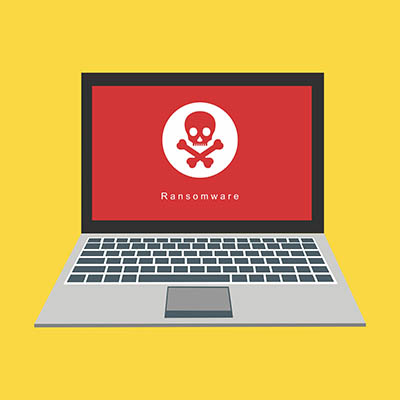
You’d think that cybercriminals would use ransomware to target high-profile businesses with loads of money to extort, but this is not always the case. Even a small business can fall victim to these particularly devastating threats. Ransomware, just like other threats out there, has continued to evolve and adjust its approaches based on the current cybersecurity climate, so what are some of the latest developments in ransomware?

In No Uncertain Terms, Ransomware Has Grown More Dangerous

In order to be effective, a cybercriminal must capitalize on the challenges that small and medium-sized businesses face. For example:

  • Cybercriminals frequently rely on deception in the form of phishing. Using phishing attacks, a cybercriminal bypasses the protections a business has in place by taking advantage of their employees in order to gain access to the business’ network.
  • A lack of communication between departments makes issues even greater. A lack of communications between a business’ departments can exacerbate the risks to be seen from cybercriminals.
  • Smaller businesses don’t always have the resources needed to prepare their team members. Unlike corporations, SMBs likely don’t have a dedicated budget for cybersecurity training, and almost certainly can’t afford the salary of a dedicated security professional on-staff.

In addition to these opportunities, today’s cybercriminals can exploit the following:

Automated Threats

The power of automation has allowed many businesses to streamline certain processes, but the same can also be said for cybercriminals. They no longer manually attack individual targets, instead opting to leverage automation for widespread attacks with the smallest amount of effort. The extortion part of ransomware has also been completely automated, as evidenced by Avaddon, a ransomware variant that proudly displays a list of companies that have been infected right on its Dark Web listing, as well as flaunting a countdown to when the data will become publicized.

Ransomware as a Service

Believe it or not, cybercrime is a legitimate business model in the sense that people can and will put together teams of developers and commission-based structures for their services. Ransomware as a Service is just one way that has surfaced, providing hackers and criminals with the means to pull off ransomware attacks with ease. With these types of services being so accessible, it’s no wonder that there is a major cause for concern out there about cybersecurity.

Layered Extortion

Ransomware attacks often target the same individuals or companies more than once, sometimes charging the victims even more or forcing them to pay up with a threat of the data being leaked if they do not do so. Unfortunately for businesses, this approach is more advanced than it has been in the past. Here is a snapshot of what the extortion process looks like:

  • The victimized business is instructed to pay for their access to their encrypted data to be restored.
  • Hackers release the data they’ve stolen if the ransom isn’t paid.
  • Denial of Service attacks are used to take down a victim’s website.
  • The cybercriminals responsible reach out to the targeted business’ customers, partners, employees, and the media to inform them of the hack.

These tactics have made it hard to say no to ransomware and have drastically improved the success odds for cybercriminals.

You Need to Be Ready to Resist Ransomware

Ransomware can be devastating if you let it create problems for your business, so don’t take any risks with it. Make sure that you are working with cybersecurity professionals who can help you take the fight back. To learn more about security and how to keep it from becoming a problem for your business, reach out to us at 810.230.9455.

53441664_windows_400.jpg

Microsoft is Gearing Up to Retire Windows 8.1
53441664_windows_400.jpg

With Windows 11 releasing sometime this year, most users are looking to upgrade to hardware that actually supports it, but today we are instead focusing on upgrading away from one of the more controversial of Microsoft’s recent operating systems, Windows 8.1. With its end-of-life date creeping up in January 2023, it’s never too early to start thinking about how your company will move away from this operating system toward a supported one.

Windows 8.1 is Only Kind of Windows 8

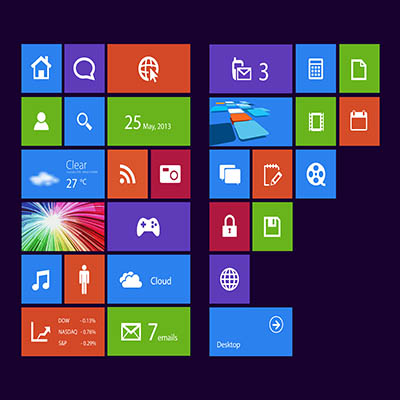
Windows 8 first released in August of 2012, and it was first described as “metro” in an attempt to appeal to the mobile market. Windows 8 was specifically designed to work with touchscreen devices and PCs, but its initial rollout caused a bit of confusion amongst the user base. Many people simply stuck to Windows 7, as they were more used to the traditional Windows operating system. Microsoft grew frustrated with the fair amount of criticism the OS received and released a huge update to the OS in 2013 that restored many of the features that people loved about prior Windows operating systems, including the coveted Start menu. This update was called Windows 8.1 and became the working version of Windows 8 for the better part of the past decade.

The initial version of Windows 8 had its end-of-support date set for January 12, 2016, ending all support for that version of the operating system by that date. Windows 8.1, however, was much more popular, thus Microsoft set an end-of-life date for January 2023. Windows 10 launched two years after the 8.1 update, meaning that most people took advantage of the free upgrade, leaving only about 3.5 percent of all PCs running Windows 8.1. If this is the first you are hearing about the end-of-life event for Windows 8.1, this is probably why—it’s not like the Windows 7 end-of-life event, where the install base was much larger.

What You Need to Know

If you currently run 8.1 on your device, you should consider upgrading to Windows 10 now. On the other hand, if you think your hardware can take it, you could wait to upgrade to Windows 11 as it rolls out later this year into next. Either way, however, you need to start thinking about it now, as that January 2023 end-of-life event for Windows 8.1 will creep up on you before you know it. Waiting any longer after that will leave your technology susceptible to security risks.

Why Is It Important to Only Use Supported Software?

Each new version of the Windows operating system adds additional security updates and features that are designed to tackle the problems associated with today’s computing environment. If you don’t upgrade your software on a regular basis, your organization will fall behind and eventually be put at risk due to the overwhelming rate at which security threats grow. Any business that utilizes sensitive information (read: all businesses, basically) must make it a priority that all software used by the company is supported by the software developer.

The IT professionals at NuTech Services know what it takes to keep your software as up-to-date and secured as possible. We can even help your company make the upgrade to a supported operating system or utilize legacy applications without a hitch. To learn more, reach out to us at 810.230.9455.

325778648_employee_quitting_400.jpg

3 Ways to Keep Your Business Secure When Employees Leave

325778648_employee_quitting_400.jpg

Turnover happens in the business world. It’s just a matter of when and how often it happens, as well as how your organization responds to it. If your company fails to address certain parts of the turnover process, it could have negative consequences that must be addressed. We’ve put together three ways that you can be sure former employees do not cause you trouble when they leave, particularly in regards to staffing and cybersecurity.

Understand Why They Are Leaving

The first step toward taking appropriate steps to secure your business is to understand why the employee is leaving. Are they feeling frustrated for some reason? Did they get a better offer that you can’t compete with? Were they potentially hired by one of your competitors? Knowing these things will help you gauge whether or not the employee will pose a threat upon departure, as well as revisit particular aspects of your business that might prevent turnover in the future.

Are There Hard Feelings?

While it’s not particularly likely to happen, it goes without saying that an employee with a sour attitude toward your business might use what they know to negatively influence you after departure. This is why it’s incredibly important to clear the air before employees leave, especially if they are a known agitant within your ranks. Take the time to sit down with the employee and learn more about them, why they are leaving, and resolve any unaddressed issues that might be lurking just below the surface. Employees who know that their frustrations are valid and validated will be less likely to act in the way addressed above.

Remove Access to Important Data and Accounts

A recent article by TechRepublic reported that one in four employees still have access to accounts and data after leaving their positions with a company or organization. This is obviously not okay, as employees who are simply not okay with leaving your organization, such as those who are terminated, might be tempted to log into their accounts and cause a little trouble before letting the door hit them on the way out. To this end, it is incredibly important that you document all of the accounts that your employees set up and which data they can access. You can then revoke those privileges after they are officially gone.

Keep in mind that you don’t want to delete these accounts right off the bat; you might still need data hosted on their desktops or in their cloud storage. It should suffice to just deactivate the account and hand over privileges to access said data to someone else within your organization who will need it.

Even if you do not suspect that any employees who leave your office might have ill intentions, it is still best to monitor those accounts and ensure that they are not being accessed in ways that seem suspicious. After all, threats can come from the most unlikely places. If you are looking to secure your network and ensure your organization is protected, reach out to NuTech Services at 810.230.9455.

222596225_3_step_process_400.jpg

A Simple 3-Step Process for Implementing New Business Technology

222596225_3_step_process_400.jpg

Technology has always been ingrained in the operations of businesses to an extent, but it was only recently (in the grand scheme of things) that standard business technology such as desktops, server units, and other computing hardware really started to take off. That said, it’s now a staple, so your organization should be making informed decisions regarding any new hardware that you implement.

It all starts with having a solid IT implementation strategy. Here are some ideas to consider for your own business technology strategy.

Identify Pain Points

Technology must be integrated into your business with intention. Otherwise, there is a good possibility that you are making your network more complex unnecessarily. As a best practice, the less complex your organization’s infrastructure, the easier it will be to maintain, monitor, and secure it. Businesses all face different challenges, so the first step toward identifying the intention for your new business technology is to identify which pain points your organization hopes to solve as a result of implementing this new technology.

Ask yourself, “What challenges does my business face today?” Your answer will determine which problems you want to solve.

Moving Forward with Intention

The next stage of this implementation process is determining how your chosen solution will solve the pain points addressed in the first step. With so many technology solutions available to modern businesses, how can you know which one is the best solution to your dilemma? As always in business, nothing is clear-cut. There could be multiple solutions to the same problem, all of which address it to varying degrees.

Ask yourself, “How does my chosen solution solve the specified problem?” If you can answer this question, then you know that the solution is one that you should seriously entertain.

Implementing the Right Solution

Once you have ironed out the details for the solution you want to implement, the final step is to determine what it takes to actually implement said solution. This might include a business needs analysis or a breakdown of the costs, as well as who will be responsible for working on the solution. In other words, you’ll need to work out how you are affording the solution, who is implementing it, and the timeline for said implementation.

Ask yourself, “Do I have the means to implement this technology?” If the answer is yes, then you can move forward with confidence.

Get Started Today!

At NuTech Services, we understand that technology can make or break your business’ operations in a profound way. On one hand, great technology solutions give your staff access to tools that make their jobs easier and more efficient. On the other, know that it takes considerable knowledge and technical expertise to implement solutions in a way that aligns with your organization’s strategic plan. Let us help make the process easier so you can focus on what matters most: running your business. To get started today, reach out to us at 810.230.9455.

152122323_innovation_400.jpg

Technology Can Replace These Office Conventions

152122323_innovation_400.jpg

With so many changes in the office environment over the past several decades, it’s no wonder that some of the staples from way back when are no longer crucial to the success of any organization. Technology has driven many conventions of the old office environment into extinction, rendering them obsolete and, in some cases, pretty much pointless to keep around. Here are just a few ways that technology has replaced some of these conventions.

Filing Cabinets

If you have been in business for a while, chances are that you have accumulated filing cabinets that fill up with paper documents faster than expected. They have traditionally been used to keep files safe and in a convenient storage location, but the truth of the matter is that these cabinets are far from convenient these days.

The cloud has enabled the use of document storage systems that put filing cabinets to shame. These systems offer digital environments to safely store documents, and due to the electronic nature of the files, they do not take up massive amounts of physical space in your office. Furthermore, these systems offer search capabilities that will make you never want to sift through a filing cabinet again.

Conference Room Gatherings

When you have a small workforce, it’s easy to call a meeting for the entire office. When you have a larger workforce, especially if you have remote employees, it’s not easy to fit everyone in the same old conference room you used to use for this purpose. Thankfully, technology has made it easier than ever to schedule meetings, even for those who have crazy schedules and meetings that last for hours on end.

Video conferencing software gives businesses the ability to hold much larger meetings without filling an amphitheater, instead administering meetings virtually from just about anywhere. These video conferencing tools also have schedule and calendar integration that can inform you who can make it to the meeting and who can’t.

Traditional Work Desk Accommodations

Your employees’ daily tasks generally revolve around completing tasks at their work desk. While they may have duties that pull them away from time to time, the majority of their work will be done from the comfort of their desk. At least, that’s how things used to be. Nowadays, the trend is moving in the direction of remote work, or at least a more mobile type of work situation.

Remote technology gives businesses the capabilities to equip employees with technology that allows them to work from any location with the right solutions. The pandemic has proved that businesses do not need their employees in the good ol’ brick and mortar office in order to stay functional.

Landline Telephones

Landlines are a relic of the past in the modern office environment. Adding new handsets can be a pain, especially if your infrastructure is dated and was built for a staff much smaller than your own. It might involve running new wires throughout the office which can be both time-consuming and costly. Modern business technology comes to the rescue here, as well.

Voice over IP systems give organizations another way to eliminate unnecessary costs and outdated technology by letting you use your Internet connection for telephony services rather than traditional telephone lines. Plus, it comes with other features that are expected of business telephone solutions, so you are not leaving any value on the table by implementing these solutions.

Need a Hand with Implementation?

If you would like some assistance with updating your infrastructure for a more modern office feel, NuTech Services can help. We can equip your company with all of the tools you need to take your business to the next level. To learn more, reach out to us at 810.230.9455.

124754493_shortcuts_400.jpg

Windows Shortcuts to Help Boost Your Efficiency

124754493_shortcuts_400.jpg

Some keyboard shortcuts work within applications, but there are others that work all throughout the Windows operating system. To help you be as productive as possible throughout the workday, let’s go over some of the most common keyboard shortcuts that work not only within your applications, but whenever you are just navigating your operating system. If you use these effectively, you can dramatically improve your productivity and look like a Windows master!

With all of our keyboard shortcut blogs, we think you will get the most value out of them if you print them out and keep them as a quick reference for use throughout the workday.

General Keyboard Shortcuts

These general keyboard shortcuts should work for the majority of applications that you use on your Windows PC.

  • Cut: Ctrl + X
  • Copy: Ctrl + C
  • Paste: Ctrl + V
  • Select All Text: Ctrl + A
  • Rename selected item: F2
  • Switch between open applications: Alt + Tab
  • Refresh: F5
  • Delete an item: Delete
  • Redo an action: Ctrl + Y
  • Undo an action: Ctrl + Z

Windows Key Shortcuts

These keyboard shortcuts use the Windows key on your keyboard.

 Open the Start menu: Windows Key

  • Lock your computer: Windows Key + L
  • Hide or show your Desktop: Windows Key + D
  • Open the Action Center: Windows Key + A
  • Open Cortana in listening mode: Windows Key + C (Note: this is disabled by default. Enable it in your Settings)
  • Open File Explorer: Windows Key + E
  • Open Settings: Windows Key + I
  • Open the Search bar: Windows Key + S
  • Open Taskbar Applications: Windows Key + Number Key (whichever corresponds with the apps in your taskbar)
  • Minimize all windows: Windows Key + M

This list is not nearly all of the keyboard shortcuts possible with Windows, so if you want a more comprehensive list, visit the official Microsoft support page for even more keyboard shortcuts.

What other tips and tricks do you want us to share with you in the future? Whatever they are, be sure to plug them in the comments below.

208456487_code_400.jpg

Breaking Down the Konami Code

208456487_code_400.jpg

Those born in the 80s (as well as some others) will likely recognize
“Up-Up-Down-Down-Left-Right-Left-Right-B-A-Select-Start” as the Konami Code, a famous cheat code that first appeared in 1986. Since then, the Konami Code has spread, now being featured in software titles and websites. Let’s consider the origins of the Konami Code, and how it has been featured in the zeitgeist.

The Origin of the Konami Code

In 1986, video game company Konami released a version of the arcade game Gradius that could be played in the home on the Nintendo Entertainment System (NES). As the game was being developed, however, it needed to be played through each time in order to be tested. Naturally, Kazuhisa Hashimoto—the developer responsible for porting the game—found this quite frustrating.

To simplify his process, Hashimoto created a cheat code that would give him every powerup in the game, making it far easier to progress to the point that needed testing. However, when production of the game started before the code was removed, it wound up being left in place so that removing it wouldn’t create any glitches. This was justified by the assumption that nobody would be so lucky as to input the Up-Up-Down-Down-Left-Right-Left-Right-B-A-Select-Start combination accidentally.

Regardless, it wasn’t long before the code was discovered. Since then, many game developers have intentionally included it in their products, and it has even spread outside of the gaming world. The Konami Code has itself become a pop culture reference.

Where the Konami Code Has Appeared

Along with Gradius, dozens of other games have featured the Konami Code. Most famous amongst them is possibly Contra, in which the player would receive 30 extra lives for inputting the Konami Code. It has also appeared in other media, including as a blink-and-you’ll-miss-it plot device in Wreck-It Ralph, an encoded background detail in an episode of animated spy series Archer, and was recited in an episode of Family Guy.

Otherwise, various websites and services have used the Konami Code as an Easter egg. Saying it to Alexa or the Google Assistant will trigger a special response from either. If you’re using Discord and encounter an Error 404 page, you can use it to start a game of snake.

Now you’re familiar with the origins of the Konami Code, and all the ways that it can be used. Have you ever stumbled across this before, or heard how it can be used otherwise?

Subscribe to our blog for more technology information!

209006232_POS_400.jpg

4 Ways to Get the Most Out of Your Point of Sale System

209006232_POS_400.jpg

For many small businesses, the Point of Sale (POS) system is the main workstation. As a result, many of your business’ core processes run through it. If you aren’t taking advantage of some of the built-in features that most POS systems can provide, you may be leaving dollars on the table. 

The point of sale system is not just a cash register. It is a wholly integrated digital hub for the management of your business, but many businesses don’t take advantage of some of the most advanced options. Let’s take a look at the best practices of utilizing your business’ POS system.

#1 – Choose the Right Terminal Structure

The POS system needs terminals in order to function and there are several different iterations that the front end of your POS system can look like. Since the main benefit of installing a POS system is to build efficiency, choosing the right one for your business has to be a major consideration. Let’s take a look at the four ways POS systems can be deployed.

  • In-store – On-premise POS systems are the norm. This means that you host your server at the place of business and run your POS system through that local hardware. In-store POS systems are great for smaller businesses that don’t need a lot of back-end computing hardware to do what needs to be done. Many retail and hospitality businesses use this method. They come with some increased costs (mainly because of the need for hardware and consistent maintenance), but are known to be easy to use and secure. 
  • Cloud-hosted – Pushing your POS system to the cloud has major advantages as your capital costs will be significantly reduced. You also don’t have to worry about maintaining your solution as the provider will likely take on that role. Most cloud-hosted POS systems are affordable and available, just as long as you have an Internet connection. The problem, just as with any other cloud computing platform, is that security can be a point of contention and if your Internet goes down, so does your ability to use your POS system.
  • Mobile – Mobile POS systems (mPOS) is a POS system that is used through a tablet or phone. This method can save your business a lot of money and it allows you to take your POS system on the go if need be. The main drawback is that the hardware associated with this type of system will likely need to be repaired and replaced as smartphones and tablets can be damaged pretty easily. 
  • Kiosks – Finally, one of the POS systems that is gaining the most popularity is the self-service kiosk. This cuts down on the need for customer interaction, so if your business is looking to cut costs, having kiosks set up that allows customers to check themselves out is a good way to do that. Unfortunately, many customers just aren’t technologically savvy enough to make use of these systems and you run the risk of complaints from customers having difficulties with the system. 

To choose the best type of POS system for your business, you will need to understand your customers. For retail businesses, you will want a barcode scanner integrated into the system as well as a reliable printer. For a restaurant, you will want a scheduling program that can keep guests from being backed up or having to be turned away. For a salon, you will want one that integrates with online booking systems and membership points programs. Understanding your business and your customers can go a long way toward getting the POS systems that can really make your business more efficient.

#2 – Understand POS features

There are admittedly a lot of different POS systems to choose from, but most of them will come with more than just the hardware and transactional software that you directly interact with. Other features your POS system might have include:

  • Inventory control
  • Payment processing
  • Return pricing
  • Labor management
  • Integrated Enterprise Resource Planning (ERP) capabilities including supply chain management
  • Reports and analysis

These features can make up a lot of the gained efficiency your business would see by using the POS system. POS systems can keep inventory pretty simple, a major benefit for any type of business, but with the integrated ERP capabilities, users can now control their entire supply chain from their POS system. Of all of the features, this one will be most useful to build added efficiency. 

For example, say you run a restaurant and want to utilize this feature of your POS. With a label maker, you can manage your inventory by slapping a barcode on every product that you take in. Instead of having staff spend hours trying to come up with a list of produce, meat, etc., you can simply look at your inventory on your POS system to easily make orders when you need them. You can set up alerts to ensure that you have everything in stock when you need it, a must for most businesses. 

POS systems can handle any time management problem your business can have: Scheduling, reservations, and employee time can be tracked simply through a POS system. With cloud-hosted systems, scheduling and other employee information can be shared online to ensure that your business has its shift staffed and covered competently. 

By using all the features of the POS system, your whole business is tracked inside the system. This gives users the ability to customize reports that will allow them to analyze operational information and make adjustments as needed.

The POS system can be one of the most frustrating tools, or it can be a complete benefit for your business. Choosing the right tools will help make it work. At NuTech Services, our knowledgeable consultants can help you choose the right tools for your situation, deploy those tools, and support them as they support your business. Give us a call today at 810.230.9455 to learn more.

440099277_cybersecurity_400.jpg

Outsource Your Cybersecurity Needs to Ensure You Get the Best Talent

440099277_cybersecurity_400.jpg

To be adept at a task is to say that the one doing the task is a professional, or someone with substantial knowledge that can be used to effectively complete the task. Cybersecurity is one such area where having a considerable amount of knowledge is of particular importance to help navigate the complex environment surrounding it. How can your organization achieve this level of mindfulness and expertise?

First, we need to establish the many challenges that small businesses must overcome regarding cybersecurity. Then, we will explain how you too can achieve the same level of cybersecurity success as security professionals.

The Challenges of Security for SMBs

Security is a major pain point for small businesses, and those that do not take it seriously might think themselves immune to the dangers. It does not matter what industry you are in, the size of your organization, or the data you store; hackers can and will take advantage of any opportunities to cause trouble for you, and they will find value in whatever data they can get. That said, many small businesses do want to be more mindful of security, but they do not know how to approach it. Oftentimes they might find they lack funding to hire internal talent, like a cybersecurity professional, something that holds them back from properly securing their organization.

What Does It Mean to Be a Cybersecurity Professional?

But what is a cybersecurity professional, anyway? What kind of skills and character traits should you look for in a cybersecurity professional? Here are some that you should consider when looking for the key to your cybersecurity talent:

  • A focus on proactive, preventative defenses rather than a reactive approach
  • A divorce from security biases that prevent one from making objective decisions
  • The technical knowledge and expertise necessary to understand cyberthreats
  • An understanding that security also requires training of staff and higher level executives
  • The flexibility to adapt to new threats and learn from them

The one steering your organization’s cybersecurity strategy will ultimately need to have all of the above. If they do not, chances are your organization will be placed at risk, perhaps not necessarily immediately, but certainly in the future.

How to Become a Cybersecurity Adept Yourself

Look, we understand that the human mind is capable of learning and absorbing countless bits of information, but cybersecurity is one aspect that is so complex that it can take years to learn everything you need to know to keep your business safe. The only way you are going to overcome the challenges of the cybersecurity landscape is with a trained and experienced professional on your side. It’s not easy to accrue this knowledge in the short term, which is why so many organizations choose to outsource this responsibility or hire a dedicated in-house cybersecurity professional to address these needs.

There is something to be said for when you can admit you’re in over your head, and with cybersecurity, there is no more dangerous position to be in. You can make the experience much less stressful by outsourcing your company’s cybersecurity to professionals who have invested countless hours, days, and years into learning the complexities of the industry. With NuTech Services on your side, you can know that your organization is devoting the time and effort necessary to securing its infrastructure. To learn more, reach out to us at 810.230.9455.

306839884_ransomware_400.jpg

REvil Vanishes, Along With Some Companies’ Hopes to Decrypt Their Data

306839884_ransomware_400.jpg

The Kaseya ransomware attack targeting VSA servers for approximately 1,500 organizations was another notable attack in a recent string of high-profile ransomware attacks, and while most organizations did what most security professionals recommend and did not pay the ransom, others did not listen. Now those who did pay the ransom are having trouble decrypting their data, and REvil is nowhere to be found to help them in this effort.

With REvil, the hackers reportedly responsible for the Kaseya ransomware attack, having shuttered their operations, some organizations who actually paid the ransom are in a tight spot. Following comments from United States President Joe Biden urging Russian officials to take action against REvil, it was reported that dark web sites for REvil’s payment portal, public portal, helpdesk chat, and negotiations portal were all offline. It is unclear what has caused these outages; it could be a government shutdown just as easily as it could not. Either way, our thoughts turn back to those who are impacted most by this outage: those who paid the ransom, but cannot decrypt their data.

Ordinarily, those who need help with decrypting their data after paying the ransom could contact REvil’s helpdesk, but if they are nowhere to be found, and your decryption tools are not working as expected, what is there to do? It is, yet again, a stark reminder that you cannot guarantee that paying the ransom will help you get your data back should you fall victim to a ransomware attack. What good reason is there to trust the goodwill of hackers who extort money from others and create so much trouble for countless organizations and individuals around the world? There cannot possibly be one.

We understand that you may feel you do not have a choice in the matter regarding paying up for ransomware attacks, but at the end of the day, it is simply far too risky to do so. Not only are you paying up for a possibility of decrypting your datanot a guarantee, mind youbut you are also funding future attacks and proving to the world that ransomware works well enough to extort millions of dollars from companies around the world. Show the hackers who is in the driver’s seat by refusing to give in to their demands.

Rather than reacting to ransomware attacks, you should instead take a proactive stance against them. Start with implementing adequate security measures that can detect the many modes of transport that ransomware utilizes, as well as a data backup system that can help to restore your infrastructure in the event of a ransomware infection. Furthermore, you must train your employees on how to identify and respond to potential ransomware threats. If you do all of this, you can minimize the chances that ransomware will significantly influence your organization.

NuTech Services can assist you with the implementation of any new security or data backup solutions, as well as train your team on how to be more mindful about these threats. To learn more, reach out to us at 810.230.9455.

244234131_ransomware_400.jpg

Don’t Be Caught Off Guard by Ransomware

244234131_ransomware_400.jpg

Ransomware is bad stuff, and it’s only gotten worse with its recent resurgence that aligned with the COVID-19 pandemic. Phishing attacks and other means by which ransomware is commonly spread have used the current atmosphere as a springboard. This makes it even more critical that these kinds of behaviors and attempts can be spotted and stopped.

Why Do Cybercriminals Use Ransomware?

It’s simple: if a cybercriminal specifically chooses ransomware as their malware of choice, they most likely intend to profit from their crime. The entire point of ransomware is to collect money from its victims by encrypting their data and demanding a ransom in exchange for the decryption key (which, for the record, isn’t guaranteed even if the ransom is paid).

Looking at it this way, it’s little wonder that cybercriminals have aimed their sights higher and higher.

Don’t get us wrong, small and medium-sized businesses are in no way out of the woods, but there have been more and more attacks on critical pieces of infrastructure taking place recently. Consider the attack that was waged on Colonial Pipeline and the massive supply chain disruptions that came about as a result of its impacts. Another massive issue in the supply chain happened in the food industry, with the REvil group attacking those infrastructures. REvil was also responsible for an attack on Kaseya, a major software vendor, hurting businesses and proving that service providers are a good target for such efforts.

Yes, You Need to Be Prepared to Deal With Ransomware

However, this can’t stop once you have some preventative measures in place. You won’t be fully prepared until your team is ready to deal with a successful attack, just in case one does slip through.

To do this, you need to have a resource in your corner that you can turn to for help with either an incoming attack or one that’s already gotten in. That’s what NuTech Services is here for (amongst many other services). We can help you do more to keep ransomware out, while also putting you in a better position should one get by. Did you know that businesses can now actually insure themselves to help prepare for the high costs that come from a ransomware infection?

You’ll also need to crunch some numbers to evaluate your ransomware risk. How much of a financial impact could a ransomware attack have overall? Are there any risks that could come from any third parties? Could you be considered a valuable target for an attacker, in terms of the financial gain they could anticipate or the amount of disruption they could cause? Do you have anything potentially making you vulnerable to these attacks?

Once you’ve covered these steps (and committed to revisiting them regularly as your situation changes), you need to prepare for the two scenarios we’ve referenced:

Keeping Ransomware Out of Your Business

Naturally, we want to keep ransomware out, which means there are some things you need to do. Keeping your protections—your antivirus, your parameters for your content filters, your firewalls, and everything else of the sort—up to date can reduce the number of threats you need to actively deal with by a considerable amount. It is also important that you keep your team equally up-to-date with the best practices and accepted responses on the chance that they spot a potential threat.

Minimizing the Damage Ransomware Can Do

Should a ransomware attack make it past all that, you need to be prepared to minimize its potential impact on you. Frankly, you’ll likely have to completely wipe your infrastructure, so you need to have an isolated and maintained backup. You know, just in case.

Ransomware is no joke, but neither are the services that you receive by working with NuTech Services. Our purpose is to do everything we can to prevent your business being hindered by a technology issue. Find out what we can do for your business specifically by calling 810.230.9455 today.

345328536_error_400.jpg

4 IT Errors Every Small Business Needs to Avoid

345328536_error_400.jpg

Technology is often a source of struggle for small businesses, usually for one of two reasons. Either the strong IT leadership needed isn’t there, or there aren’t enough resources to support the level of IT management and maintenance that businesses need. Of course, there are other mistakes that can easily be made when it comes to a business’ technology management.

Let’s go over four of these mistakes.

Failing to Focus on Your Overall Goals

You don’t have to tell us that “the next big thing” in technology is always an intriguing idea. The real problem is “the next big thing” isn’t always “the thing you need.” However, adding new pieces of technology without a cohesive strategy often results in an overcomplicated network. This then can start a cascade of potential problems, ranging from hardware failure to full-blown security breach. What’s worse is that your business may not be ready to handle the new technology.

No, it is far better to first identify how a technology can help you toward your organization’s goals, and only then implement it.

Not Planning for Long-Term Success

It is critically important that you look to the future of your business and make plans to ensure its growth. This means that you need to not only choose solutions that fulfill your needs now, but that could scale to meet whatever those needs might look like in the future. Relatedly, your longevity also relies on how well you’re prepared to handle a crisis. Having business continuity preparations—data backup and disaster recovery, specifically—will help ensure that you can recover quickly, should you ever need to do so.

Falling Short in Security

Have you ever thought that, since you run a small or medium-sized business, cybercriminals simply wouldn’t waste the time to attack you when there are much larger, potentially more lucrative businesses to target? While some cybercriminals may prefer to target the big guys, others are more than happy to try and take the sensitive data that you’ve collected and generated over time. It’s guaranteed that you also have something that a hacker will want, whether that’s sensitive data, access credentials, or financial information. Unless you’re willing to risk your entire business on the incredibly unlikely chance that you’ll never be targeted (disclaimer: don’t), you need to properly invest in your business’ security.

Waiting Until Something Goes Wrong to Act

Proactivity is a good practice in many disciplines, but when it comes to proper IT maintenance, it’s now practically essential. While many businesses still rely on the traditional break-fix approach of yesteryear, this approach is no longer practical, or for that matter, practicable. Adding up the costs of the hardware that would need replacing and the downtime incurred, the price of this approach adds up faster than you might imagine. Proactive maintenance helps avoid these additional costs.

Of course, chances are that you wouldn’t call yourself a technology expert. That’s our job, which we do by providing businesses with the technology they need and the support to keep it running. That way, you and your team can focus more on what you do.

Find out more about what we have to offer by calling us at 810.230.9455 today.

228453636_software_400.jpg

Managing Your Organization’s Software is More Complex than You Think

228453636_software_400.jpg

In a world of “as a service” business models, where services are distributed by month or by billing cycle, users are not necessarily buying things outright to replace them at a later date. The issue with this Software as a Service (SaaS) model is that too many of these solutions implemented all at once can create a messy web of software that needs to be managed. How can you make sure that you are getting the most out of your solutions without driving yourself up the wall?

A SaaS management platform is the best way to make sure that you are not leaving any value on the table with your SaaS applications. It can also help you maintain operations in ways that you might not have considered. Here are our top four benefits of using a SaaS management platform.

Analytics and Usage Statistics

If you have ever wondered how your employees use the solutions you give them, then a good SaaS management platform can give you access to these valuable insights. By getting this birds-eye view of how your employees use which applications, you can make more educated decisions about the solutions you implement moving forward. You might even find that you don’t need certain applications because they simply are not being used.

License Management and Renewal

Licensing is another major pain point for organizations that utilize several different types of software. If licenses expire, then access to applications can be brought to an abrupt halt. If employees find this happens to them, then they might look for other solutions to fill the void and get their work done. SaaS management allows you to keep this from happening by giving you one central location to manage and renew licenses as needed.

Enhanced Security and Compliance

No matter how often you use your SaaS applications for work purposes, they will inevitably store some of your organization’s data. This can create problems if you do not know what data and information it is that they are storing. If your business is using a SaaS management platform, you can more easily control security for these applications, a process that also aids in compliance.

Tighter Control over SaaS Applications

SaaS management gives your business the ability to manage its software from one central location, a concept that can help you eliminate shadow IT, which is the situation we described above where employees might implement unapproved applications to solve problems. Giving employees the ability to pick and choose from a pool of applications can make them less likely to look for alternative solutions.

If you want to get started with SaaS management, NuTech Services can help. We can offer a comprehensive network audit that can give you valuable insights into your software management needs. To get started, reach out to us at 810.230.9455.

123015824_cloud_security_400.jpg

Cloud Security is a More Pressing Issue

123015824_cloud_security_400.jpg

The cloud is a popular choice for businesses that need access to tools to sustain operations, but there is an innate flaw that comes from hosting anything in an online environment: security. Do not pretend that security is not an issue for your cloud-based resources—failing to acknowledge the importance of security could be a fatal mistake for organizations that leverage cloud-based technology resources.

Misconfigured Cloud Settings

Cloud tools and solutions can work quite well, but they need to be set up properly first—particularly in the realm of security. Due to its nature as an accessibility and communication tool, the cloud must ensure that security is kept at the top of mind so as to avoid data breaches and vulnerabilities. Make sure that you are reviewing, checking, and confirming that your cloud’s security settings are correct on a regular basis so as to not put your organization at risk.

Ineffective Access Controls

The cloud allows resources to be accessed from more than one location, a benefit that simplifies remote work and makes it more accessible to small businesses. Your team will need to know how to effectively utilize these resources to ensure they can get the job done, but you must also do your part to allow or restrict access to important data or applications as needed. A cybercriminal can lean into ineffective access controls set by your organization, too, for if they manage to get their hands on credentials for a network administrator or someone with upper-level privileges, you can bet that they can cause a lot of damage. To protect from this, it also helps to build secure passwords.

Targeted Attacks

Look, it’s no secret that there are countless threats out there, but the fact that the workplace has grown exponentially more connected over the past several decades means that there are more avenues than ever for cybercriminals to make their way into your infrastructure. What’s worse, cyberattacks are quite lucrative and easily repeatable, and due to the sheer number of different threats out there, hackers can switch their tactics up based on what they think will be most likely to succeed against your business.

Depending on your type of business and the compliance regulations of your specific industry, a data breach might mean much more than simple data theft. It could mean fines, lost confidence in your market, legal action, and even costly compensation. Other threats might try to harm your productivity, like Denial-of-service attacks and ransomware, with the latter being particularly devastating. You must be prepared for not just the cyberattacks we have outlined here, but for all potential threats that can derail operations. It all starts with a solid preparedness strategy.

Employee Behaviors

Your cloud solutions—especially in regards to security—will only be as effective as the team members that utilize them. If you don’t teach them how to use your solutions in a secure way, you are putting yourself at greater risk of cybercriminal activity. The other side of this is when the employees themselves are the danger, abusing the permissions they have been granted and using them in a way that is destructive to your business. Since the cloud is so accessible, it can be difficult to know when this is happening for your company, but it’s not impossible.

Turn to us for help with dealing with these cloud security challenges.

Industry professionals like NuTech Services can help your organization identify, prepare for, and respond to cloud security threats. To learn more, reach out to us at 810.230.9455.

310405451_virtual_desktop_400.jpg

Microsoft Has a Virtual Desktop-as-a-Service Model with Windows 365

310405451_virtual_desktop_400.jpg

With more companies opting to get involved with the “as a service” market, it’s no surprise that Microsoft, one of the world’s leading software companies, went this route with the Microsoft 365 cloud-service offering. Microsoft has been aiming to take their strategy even further with Windows 365, a way for organizations to opt into virtual desktops. Here’s what you need to know about Windows 365.

Keep in mind that this is still a developing service, so the state of Windows 365 may change over time.

What is Windows 365?

At its core, Windows 365 is a desktop virtualization service (think of it as DaaS, or Desktop as a Service). Users can take full advantage of a virtual Windows desktop, as well as some first and third-party applications. What’s notable is that this can be utilized by devices that are both PCs and non-PCs, allowing for flexible use of the desktop operating system.

You may have heard of “thin computing,” which is when you use endpoints that are somewhat underpowered compared to your traditional desktop computers to run virtual desktops. This is the exact same thing, with the desktop’s data accessed through the Internet. The desktop itself lives in the cloud and is accessed through your connection. The virtual desktop itself is powered by Azure Virtual Desktop, a service that is capable of creating virtual machines for access via the cloud.

How Much Will it Cost?

Microsoft just started to release some pricing information for the base service on their website, and while we like what we see, the real cost is going to come down to setting it up, teaching your users how to access it, and ensuring that the devices you have will access it. We have high hopes that this will be an affordable way to get cloud-based desktop environments for the average worker, even if their only device is a Mac or Chromebook. Pricing per user per month is based on the various configurations available through the service based on how powerful the virtual machines are.

What’s the Difference Between Microsoft 365 and Windows 365?

We are sure that this will cause a bit of confusion within the user base. The big difference between Microsoft 365 and Windows 365 is that Microsoft 365 gives you the licenses to run the included software, whereas Windows 365 gives you the virtual machines to run them on. So, it’s not necessarily double-dipping, but they both will be required if you want to fully leverage the power of Microsoft’s cloud-based deployment service.

You can count on NuTech Services to help you navigate the developments surrounding Windows 365. Perhaps you will even consider us when it comes time for your organization to implement it or when it comes time to consider if it is the right call for your business. You can count on NuTech Services to be here for you! Just give us a call at 810.230.9455.

162947308_server_room_400.jpg

How to Build the Perfect Server Room for Your Business

162947308_server_room_400.jpg

Your business relies on technology for access to an IT infrastructure. One such piece of technology that you use on a daily basis, whether you realize it or not, is a server. A company that has a single server might be able to get away with less-than-stellar server management policies, but those that have multiple servers should never be skimping on the environment in which their servers live.

Let’s outline why having dedicated space for your technology is important.

Enough Space for Hardware and Work

This should go without saying, but your server room needs to comfortably house your server units and any other equipment you need to keep them functional. On a similar note, you should make sure that there is enough room to perform maintenance on them, should the need arise at some point in the future.

A Controlled Environment

Servers are not your typical workstations or computers. While they might appear to just be another box lit up by flashing lights and drives, they are far more powerful and output a significant amount of heat. This is why you often see server rooms that have climate controls that account for temperature and humidity. In fact, server rooms often store the units in specialized cabinets that control these conditions. Too much heat and moisture can cause harm over time, and hurt the overall performance of your network.

The Ability to Scale for Growth

You might be designing your server room for your current infrastructure, but it’s important to keep in mind that your infrastructure is not going to remain the same for the entire time you are in business. It will likely grow and scale with your business’ prosperity, so you should also plan for a certain level of growth. This means making sure that you have room to add new units, additional cabling, and other technological solutions as needed.

Physical and Digital Security Solutions

The more people who have access to your server room, the more that could possibly go wrong with it. All it takes is one person not following the appropriate protocols, changing settings on machines, or improperly handling the hardware to send everything out of whack and create chaos. Your server room should be secured on the physical side as well as the digital side, preferably with biometrics and multi-factor authentication whenever possible.

Now, let’s say that you don’t want to go through all the trouble of customizing a room in your office specifically for your servers. Many organizations tend to store their data and servers in off-site data centers, choosing instead to access it through the cloud rather than hosting it in-house. This is a perfectly viable solution, even for a small business with a more limited budget. That’s where we come in!

At NuTech Services, we believe that small businesses should have access to the same great solutions and services as enterprises. If you are worried that you cannot afford such solutions and services—including server management—give us a call and find out what your options are! We are sure that we can help you out. To discuss the possibilities with one of our skilled technicians, reach out to us at 810.230.9455.

438270259_shorter_work_week_400.jpg

Shocking Study on the Work Week Suggests Shorter is Better

438270259_shorter_work_week_400.jpg

Many critics of a shorter work week believe that cutting the number of hours worked throughout the workday or work week could potentially lead to a decrease in productivity, but a new study from Iceland suggests that this simply is not reality. This study suggests that productivity should no longer be a cause for concern when it comes to a shorter work week, as its astounding results show what really happens when you reduce the number of hours worked without reducing pay.

Introduction to the Study

The study, published by Autonomy and Alda, as well as the Association for Democracy and Sustainability in June of 2021, took place over five years and examined workers from several different industries in Iceland. There were two parts to the study: one conducted by the city of Reykjavík and another performed by the Icelandic government. In both parts, employees worked shorter hours during the work week.

Of particular note here is that the employees participating in these trials did not suffer a reduced salary or wage while working fewer hours. They worked an average of 35 or 36 hours per work week while the control group worked the standard 40 hours expected of most positions. By the end of the study, it involved around 2,500 employees from over 100 workplaces.

Both trials hoped that shorter work hours could address poor work-life balance and improve productivity; the results might surprise you!

The Results

The results of this study showcases that the shorter work week presented several benefits to employees. The study found that these trials showed reductions in working hours “maintained or increased productivity and service provision” and also “improved workers’ wellbeing and work-life balance.”

The report examines the following:

  • How effectively work time was reduced
  • How service provision and productivity were affected
  • Whether improvements in workers’ wellbeing and work-life balance took place

One of the reasons why employers are so worried about shorter working hours is that it can unintentionally lead to overwork as a result of having fewer hours in the workday to get things done, but the anecdotal evidence suggests that this is simply not true. Employees found that it was easier to organize themselves and their work processes with the shorter workday. This goes for managers, too.

Service provision was also unaffected—at least, in a negative way. As evidenced by the study, “On the whole, indicators of service provision and productivity either stayed within expected levels of variation, or rose during the period of the trial.”

In perhaps the most interesting part of this study, we get to the wellbeing and work-life balance aspects of shorter work days and weeks. The indicators for this part of the study were examined close to the end of the study, where stress levels and energy levels were measured. For work-life balance, employees in the shorter work day group discovered that they had much more free time to spend time with their families and were less likely to say no to overtime when it was needed. They were also less likely to take on a part-time job.  Other benefits included easier-to-do errands, more balance in participation in home duties, more time for oneself, less stress at home, more exercise, and so many others. It is evident that work-life balance saw many improvements for these employees.

What do you think about shortening your workdays? Do you think that maybe everyone could make use of a couple extra hours to enjoy life on a Friday afternoon? Let us know your thoughts in the comments below.

30922300_tech_terms_question_400.jpg

7 Technology Terms That End Users Should Know

30922300_tech_terms_question_400.jpg

No matter what role you are in at your company, be it management or otherwise, there are certain terms related to technology that you are going to want to be familiar with. Doing so will not only help you make the process of asking for help when it’s needed easier, but it will also help you stay current on business technology in general, leading to more awareness of what goes into a successful business technology strategy. Let’s discuss some of the important technology terms for everyday business operations.

Desktop

Your desktop can mean two different things; it is either the front-most screen when you are logged on to your computer, where you can see icons for the various programs installed on your computer and other folders for storage, or it can mean your entire work computer setup (monitor, tower, keyboard, mouse, etc). More likely than not, when you hear the word “desktop,” it will be in the context of the computer setup itself. Other times, it might be referred to as a “workstation.”

Hardware

On a similar note, hardware consists of the components that actually make the computer work. Hardware includes any bits and pieces inside the computer, as well as any equipment that might be used alongside the computer. Some examples of hardware might include the computer’s monitor, your keyboard, computer mouse, webcam, microphone, and any internal components, like RAM, the motherboard, etc. It’s just a fancy word that encompasses all of this.

Software

If hardware consists of the physical components of your computer, then the software consists of the digital components of your computer. Software includes your operating system and any programs installed on your computer. Examples might include the Windows or macOS operating systems, the Microsoft Office productivity suite, or Adobe Creative Suite.

Operating System

Your computer’s operating system is the thing that basically acts as the interface through which you do just about anything. Learning how to navigate the operating system is a critical part of any office worker’s day-to-day responsibilities, so we want to emphasize the importance of it. The operating system also plays a role in which software is compatible with your computer, as some might require a specific OS in order to be most effective. For example, for the longest time, Microsoft Office was most compatible with Microsoft’s Windows operating systems.

Help Desk

More often than not, if you run into technology problems while going about your day-to-day duties, you will be told to contact the help desk. The help desk is a group of IT professionals whose sole responsibility is to help you figure out the best solution to your technology problems. Most help desks have a phone number, email address, or even a live chat function to offer support.

Remote

If you managed to make it through the COVID-19 pandemic without hearing the term “remote” thrown around, then kudos to you. In business terms, “remote” means a location away from your normal desk or location of operation. It is often used synonymously with “working from home,” but these two should not be confused. Working from home is one way to work remotely, but it’s worth mentioning that “remote” just means “anywhere that is not your office.” You might also hear this term used in the context of “remote access,” as in accessing files and information without being physically connected to a network.

Cloud

Similar to “remote,” the cloud is something which allows for work outside the confines of your organization’s office. “Cloud” can refer to a location, i.e. storing data in the cloud for remote access, or it could be used to describe something, like cloud-based software. In either case, cloud technology, or cloud computing, is a means to an end, usually to improve the accessibility of resources like data, software, and in some cases hardware.

Even if all of this sounds a bit confusing, don’t worry; NuTech Services is here to answer any questions that you may have about technology. To learn more, reach out to us at 810.230.9455.