
virtual_assistant_400.jpg

What Virtual Assistant Is Right for You?

virtual_assistant_400.jpg

Virtual assistants are some of the most common technologies out there, which is kind of a strange thing to say. With mobile devices taking over the personal and professional lives of users, we suppose it’s natural that virtual assistants have flourished in today’s workplace. What are these assistants, and what are they capable of?

Virtual Assistants, Today and Tomorrow
Virtual assistants are programs that let us speak to our devices to perform certain functions. These functions include adding an item to a list, playing music, creating reminders, and so much more. The future could introduce countless other ways to take advantage of virtual assistants, even if it’s a bit of a strange feeling to talk to an inanimate device.

New providers are also appearing, which in turn expands the selection of virtual assistants to consumers. This can create more competition and encourage the development of fresh ideas that can further the quality of future solutions.

Weighing Today’s Assistants
There are five mainstream digital assistants in today’s business world. They include: Google’s Assistant, Microsoft’s Cortana, Amazon’s Alexa, Apple’s Siri, and Samsung’s Bixby.

Alexa
Amazon’s Alexa is pretty high-profile, appearing on Amazon’s flagship devices like its smart speakers, Echo. Other brands use Alexa as well, but it’s most well-known for the Echo speakers. Alexa is used on Amazon’s tablets, as well as in their Amazon Fire TV products and other Internet of Things devices. Alexa is perhaps most well-known for its compatibility with third-party apps, all of which is offered free of charge. Therefore, Alexa is more likely to work with your smart appliances than other solutions out there. Alexa can be downloaded on Android devices, despite reports that it is more limited on these devices compared to Amazon’s.

Google Assistant
Android devices running 6.0 Marshmallow or higher can take advantage of Google Assistant. If you have a Google Home device or similar speaker, you can use Assistant to connect to them. Assistant can be found in headphones, smart displays, and televisions. Assistant is reliable enough that it can be used most of the time, though it is most reliable when it’s used with Google’s services, including Google Calendar and Chromecast.

Bixby
Maybe you’ve never heard of Bixby before. It’s exclusively on Samsung devices like the Family Hub 2.0 refrigerator. Bixby is a three-pronged personal assistant consisting of Bixby Voice (control a device with your voice), Bixby Vision (think Google Lens), and Bixby Home (a Google Feed-like solution). Bixby’s Version 2.0 is open-source, allowing developers the ability to use it in their development plans.

Cortana
Cortana is basically the Microsoft version of Alexa, working with every device that has Windows 10. While Cortana works in a similar way to Alexa, Cortana does have more limited capabilities compared to Alexa’s skills. Even if the user doesn’t have their PC nearby, Cortana can be used on Apple and Android devices. By far Cortana’s most interesting feature is being able to search your settings, documents, and other important data for whatever you’re searching for. The most notable tech demo involving Cortana showcased its ability to compile user-friendly statistics and display them in graphs, highlighting the perks of this virtual assistant.

Siri
Siri was the app that spearheaded development of virtual assistants. Siri is the Apple-exclusive virtual assistant that many users have on their iPhones and other Apple products. The Apple HomePod is a good example of this, but Siri is compatible with many other IoT devices that can give the user unparalleled control over their home just by speaking to their devices.

Which of these virtual assistants is your favorite? Let us know in the comments.

b2ap3_thumbnail_applications_for_work_400.jpg

3 Mobile Apps Every Modern Office Worker Needs
b2ap3_thumbnail_applications_for_work_400.jpgMobile devices are changing the face of businesses in obvious ways, like employees accessing their work outside of the office. Additionally, there are many not-so-obvious ways that mobile devices and apps have changed work environments. Let’s focus a moment on the little things around the office that have changed since mobile devices took over.

Calendars
Calendar making used to be a profitable industry. Calendars adorned office walls and inspired workers daily to be better people, one disposable page at a time. Also, let’s not forget about how calendars make for that perfect, gender-neutral gift to contribute to any office’s end-of-the year holiday gift exchange. Now, everyone just gives each other gift cards and hilariously-themed calendars collect dust at mall kiosks.

What happened? It turns out that every mobile device comes with its own calendar app. As workers adopted it, software developers integrated calendar apps to the cloud so that workers could sync their calendars for easy scheduling. This mobile trend effectively “did in” the usefulness of the 12-month calendar, but you may still find one or two on the office walls for novelty’s sake.

If you’re not taking advantage of your mobile device’s calendar, check out these links on how to use your calendar’s sync feature.

Notebooks
Another paper casualty of mobile devices is the office worker’s trusty notebook. You used to see notebooks brought into every meeting, and the super serious note-takers would distinguish themselves with leatherbound notebooks, emblazoned with their company’s logo. While office supply stores are bemoaning the demise of notebooks and pens, workers are taking better notes and collaborating in new and exciting ways via cloud-based apps.

There are a variety of mobile note-taking apps on the market, and they each allow you to do much more than scribble ideas and cartoon characters on paper. Mobile apps like Evernote, Microsoft OneNote, and Google Keep allow users to capture screenshots, upload files, record audio, and of course, jot down meeting notes. These notes can be tagged to make them searchable, and stored in the cloud so that every member of your team can access them.

Fax Machines
The adoption of mobile devices should’ve been the final nail in the coffin for the office fax machine. Actually, email should’ve been the technology that killed off the fax machine. Yet, despite advancements in email, cloud computing, mobile devices, and even the leadership baton being passed from one generation to the next… and then to the next, fax machines still have a strong presence in most modern offices.

It’s our hope that the advancements of mobile technology have caused the mighty fax machine to lose some sway over its users. Remember, if you’re altogether tired of dealing with your fax machine, then NuTech Services can provide you with technologies to phase it out, like our fax server solution and a host of digital communication apps for your mobile device.

Why You Need to Adopt Mobile Solutions
Maybe you’re old fashioned and you just like the feel of working with paper, the thrill of turning over a calendar page at the first of the month, and the ear-piercing sound of receiving a fax. That’s all fine and good, but as a modern business owner, it’s in your best interest to adopt mobile solutions for your company. If you don’t, then your mobile-device-loving employees will bring their gadgets into the workplace and do so on their own. The danger of them doing this is that you’ll lose control of how company information is shared and stored, which could lead to a major data breach.

Instead, you need to be proactive about implementing an official mobile solution for your office that everybody can access and use from their approved mobile devices. Due to all the different devices out there, and the different expectations of your employees, getting everybody to use the same mobile solution can prove to be quite challenging. At NuTech Services, we’re here to help equip your business with mobile and cloud-based solutions that meet your company’s needs perfectly. For more information, give us a call at 810.230.9455.

b2ap3_thumbnail_smartphone_addiction_dangerous_400.jpg

7 Signs of Smartphone Addiction and 4 Things You Can Do About It
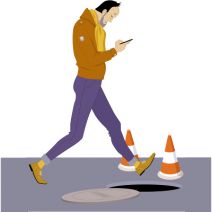
b2ap3_thumbnail_smartphone_addiction_dangerous_400.jpgThere’s no doubt that smartphones are one of the greatest achievements in modern technology. Compared to computers from several years ago, the average smartphone is vastly more powerful. Coupled with mobility, the smartphone is a productivity machine that helps you get more done in your day. Despite these advantages, you might be a little too attached to your device.

Telltale Signs of an Addiction
If you truly can’t tell if you’re addicted to your smartphone, try asking yourself these questions:

  • Do you always keep your smartphone on your person? This isn’t always a bad thing, but when it’s always in your pocket, you feel compelled to pull it out and respond to texts, emails, or even phone calls while in the office. This can be distracting, and detrimental to your productivity.
  • Do you find yourself placing your smartphone on the table when eating a meal? Besides being rude and inconsiderate to your company or waiter, this shows that you can’t go a simple half-hour session without checking your phone once.
  • How many times a day do you check your phone? We realize that there might be a reason you check your phone, but if it’s simply to “check the time,” that’s what watches are for. Continuously checking your phone when you aren’t expecting a call is either a result of boredom, or a smartphone addiction.
  • Where do you place your smartphone when you sleep? If it’s on the nightstand or under your pillow, you might be in trouble. This might be because you use your phone as an alarm clock. If your phone goes off in the middle of the night and wakes you up, it can cut into your sleep cycle and reduce the quality of rest you receive. This, in turn, can be bad for both your health and concentration in the workplace.
  • Do you bring your smartphone into the bathroom with you? Plenty of people bring their phones into the bathroom with them and take the opportunity to catch up on emails, reply to text messages, or check social media. Besides clearly being a sign of addiction, this can be a primary reason for the spread of germs in the office. You might wash your hands, but we doubt you wash your smartphone.
  • Do you get angry at your smartphone when it goes off? The average smartphone user has a ton of different applications on their device, each with notifications that go off periodically throughout the day, or signal the arrival of a new message. If you feel compelled to check these constantly, you might (understandably) get angry or flustered.
  • Do texts, emails, and other messages seem to take the place of real-life conversation? That’s because they are. The beauty of a smartphone is that you can communicate with people across the world in the blink of an eye, but when you use it as a substitute for real-world interaction, you can say with confidence that something needs to change.

What Can You Do?
One of the better life choices you can make is to cut down on your smartphone use, especially if you feel like it’s taking the place of your social life and familial relationships. Here are some solutions that might help you get over your mobile dependency:

  • Don’t buy the latest smartphone. The latest technology is sure to have the most features, and as such, you’re sure to waste more time on one of them, than another, slightly older model.
  • Limit your application consumption. When your phone is filled with applications, they can be bothersome. Most people only take advantage of somewhere between 5-10 apps every day, so why use more than that when you don’t need to?
  • Separate yourself from the phone. Instead of leaving it in your pocket, keep it in another room, a bag, or a purse. Use other devices for purposes that can accomplish the same thing, like an alarm clock or a watch.
  • Just ignore it. While ignoring your phone might seem difficult, it’s the best choice in most cases, so long as it’s not an urgent call that you’re expecting. Always take real human interaction over a text or phone call.

Of these seven questions, how many do identify with? Let us know in the comments just how addicted you are to your smartphone.

b2ap3_thumbnail_smartphone_security_400.jpg

Tip of the Week: 7 Common Methods to Protect Your Smartphone

b2ap3_thumbnail_smartphone_security_400.jpgThose who believe that smartphones are secure from threats are in for a rude awakening. Modern businesses need to apply adequate security practices to maximize the protection of mobile devices, or risk everything.

If a hacker were to somehow access a corporate mobile device, they could potentially compromise sensitive information. Would your business be able to recover from such an attack? You want to keep this situation from happening in the first place, instead of just hoping it doesn’t happen. Here are some ways you can keep your business’s sensitive data away from those who might try to steal it from your smartphone.

Integrate a Lock Code
Naturally, the best way to keep strangers from accessing information on your phone is to set up a lock screen. There are a number of different lock screen options that you can select from, including entering a PIN number, dragging a specific pattern across the screen, and entering a full-fledged password. The type of authentication techniques available vary according to the device.

Try Data Encryption
Most of the time, you can encrypt your smartphone or tablet pretty easily. This means that the device’s data will be inaccessible to anyone who doesn’t have the decryption key, or password. This is a surefire way to make stealing your data more difficult than it’s worth to most amateur hackers.

Disable Website Tracking in Your Browser
Websites are known to collect information from you while you browse, and they use this information to deliver advertisements to you based on what you look at. It’s not beyond the realm of possibility to leak confidential information to the Internet. Your mobile browser should give you the Do Not Track option, which leaves it up to the website whether or not they will collect information from you. Most websites will listen to your preference, but this doesn’t always work.

If the Caller is Unknown, Don’t Answer the Call
We’ve all experienced the irritation of answering calls from unknown numbers and listening to automated messages. However, in the rare moment that there’s actually someone else on the other end of the line, they are probably one of two things: A cold-caller trying to sell you something you don’t need, or a hacker who’s trying to trick you. These hackers often pose as representatives from organizations (like banks, charities, etc) and try to convince you to give up information regarding your account. Naturally, it’s best to avoid answering the phone if you don’t know the identity of whoever is on the other end. Besides, if it’s really important, they’ll leave a message or callback information, which you can cross-reference with information you find on the Internet.

Use GPS Tracking to Locate Your Lost Device
Most modern smartphones, like those made by Android and Apple, come equipped with GPS tracking features that can be accessed online if you have misplaced your device. This can be helpful if someone has located your device, or if it’s simply inside the sofa. If someone has found it and hasn’t found a way to contact you, you can locate it with GPS. Problem solved. Although, it should be mentioned that the GPS tracking only really works if the device is turned on, so it’s not without its limits.

Keep Just Enough Contact Information in Your Device
Once in a blue moon, you’ll meet a genuinely good person who wants to return devices that they’ve found lying around. If this is the case, they won’t know how to return it to you if you don’t give them a way to do so. Often, a simple name and alternative telephone number will be enough to help them get ahold of you. It’s important to not leave too much information in the device, or you could risk giving hackers everything they need to steal your identity.

Keep Your Device within Arms-Reach
Finally, the easiest way to keep your device safe is to keep it on your person at all times (or at least within sight). This is especially important if you often work remotely from public places, like coffee shops, diners, etc. This is the best way to keep the common thief from gaining access to your device.

For those who don’t want to take any risks, a mobile device management solution from NuTech Services is the most comprehensive solution out there to keep your business’s mobile device safe and secure. We can whitelist and blacklist applications to let only specific ones gain access to confidential corporate information, and we can even integrate content filtering and spam blocking to help your team stay as safe as possible, even while out of the office. Last but not least, we can remotely wipe devices in a worst-case scenario.

For more information about how NuTech Services can keep your mobile devices secure from hackers, give us a call at 810.230.9455.